7 Best GPUs for Gaming & AI – Top Performance Picks
Table of Contents
GPU Performance Guide: In the rapidly evolving landscape of digital technology, Graphics Processing Units (GPUs) have transcended their traditional role as mere visual processors. Today, they stand as the indispensable engines powering not only the most immersive gaming experiences but also the transformative advancements in Artificial Intelligence (AI) and Machine Learning (ML). The sheer computational prowess of modern GPUs has made them central to a wide array of demanding applications, from rendering hyper-realistic virtual worlds to accelerating complex neural network training. Choosing the right graphics card is no longer a simple task; it requires a deep understanding of architectural nuances, performance metrics, and application-specific demands, especially as the market continues to diversify with offerings from industry giants like NVIDIA and AMD. This comprehensive guide aims to demystify GPU performance, helping both gamers and AI professionals make informed decisions in 2026 and beyond.
Understanding the Core of GPU Performance
At the heart of every graphics card lies its architecture, a complex interplay of specialized components designed for parallel processing. Understanding these core elements is crucial for appreciating how a GPU delivers its exceptional performance in both gaming and AI workloads. The fundamental difference between a CPU and a GPU lies in their approach to computation: CPUs excel at sequential, complex tasks, while GPUs are built for massive parallel execution of simpler tasks.
Core Processing Units: CUDA Cores and Stream Processors
NVIDIA GPUs utilize what they call CUDA Cores (Compute Unified Device Architecture), while AMD GPUs employ Stream Processors. These are the tiny, specialized computing units that perform the actual calculations. A higher count of these cores generally translates to greater parallel processing capabilities. For instance, NVIDIA’s Ada Lovelace architecture, powering the RTX 40 series, features new Streaming Multiprocessors that offer up to 2x performance and power efficiency. Similarly, AMD’s RDNA 3 architecture, found in the RX 7000 series, incorporates advanced compute units. However, it’s important to note that comparing CUDA Cores and Stream Processors directly across different architectures or manufacturers is not a one-to-one performance indicator due to differing designs and efficiencies.
Specialized Cores: Tensor Cores and RT Cores
Modern GPUs, particularly from NVIDIA, have introduced specialized cores that significantly enhance performance in specific areas:
- Tensor Cores: These are specialized units designed to accelerate matrix operations, which are fundamental to deep learning and AI workloads. NVIDIA’s fourth-gen Tensor Cores in the RTX 40 series, for example, deliver up to 4x performance with DLSS 3 compared to brute-force rendering. They are pivotal for tasks like AI model training and inference. AMD’s RDNA 3 architecture also features new AI accelerators to enhance performance.
- RT Cores (Ray Tracing Cores): Dedicated to accelerating ray tracing calculations, these cores enable more realistic lighting, shadows, and reflections in games by simulating the physical behavior of light. NVIDIA’s third-gen RT Cores offer up to 2x ray tracing performance. AMD’s RDNA 3 also includes second-generation raytracing accelerators.
Memory Subsystem: VRAM, Memory Bus, and Bandwidth
VRAM (Video Random Access Memory) is the dedicated high-speed memory on the GPU that stores textures, frame buffers, and other graphical and computational data. The amount of VRAM is crucial, especially for high-resolution gaming and large AI models. Technologies like GDDR6 and High Bandwidth Memory (HBM) provide extremely high throughput. The Memory Bus connects the GPU’s processing cores with the VRAM, and its width (e.g., 256-bit, 512-bit) along with the VRAM’s clock speed determines the Memory Bandwidth. Higher bandwidth allows for faster data transfer, which is vital for real-time data processing in both graphics rendering and machine learning.
Clock Speeds and Efficiency
The Clock Speed of a GPU’s cores and memory influences its raw processing speed. However, higher clock speeds don’t always directly correlate to proportionally better performance due to architectural efficiencies. Modern GPUs are also designed for increased power efficiency, allowing for greater performance without significantly increasing power consumption.
Decoding Key GPU Metrics for Optimal Performance
When evaluating GPU performance, several key metrics provide a quantitative understanding of a card’s capabilities in different scenarios. Moving beyond simple specifications, these metrics offer insights into real-world application performance and efficiency.
Frame Rate (FPS) and Latency
For gamers, Frame Rate (FPS – Frames Per Second) is perhaps the most immediate indicator of performance. It measures how many images a GPU can render and display on a monitor each second. Higher FPS generally means a smoother and more responsive gaming experience. Equally important, though often less understood, is Latency. GPU latency refers to the time taken from a computation request to its completion, and it’s critical for application responsiveness. Key components of latency include:
- Input-to-Frame-Start (I2FS) Latency: The time from when an input is received until the GPU begins processing it. This impacts how quickly user actions are recognized.
- Frame-Start-to-Present (FS2P) Latency: The time it takes for a frame to be rendered and prepared for display. Technologies like NVIDIA G-Sync and AMD FreeSync aim to reduce this.
- Present-to-Displayed (P2D) Latency: The time until the processed frame is actually displayed on the screen.
Minimizing these latencies is essential for competitive gaming and real-time interactive applications.
Floating-Point Operations Per Second (FLOPS)
FLOPS (Floating-Point Operations Per Second) is a cornerstone metric for assessing a GPU’s raw computational capability, particularly in scientific computing, data analytics, and AI workloads. GPUs handle calculations at various levels of precision:
- FP32 (Single Precision): Standard for mainstream deep learning training.
- FP64 (Double Precision): Essential for high-accuracy scientific computing.
- FP16 (Half Precision), BF16 (Brain Float), and FP8: Optimized for AI inference, memory-intensive tasks, and specialized AI acceleration, offering significant performance boosts with reduced memory usage.
The ability to efficiently perform operations at these different precisions is a key differentiator for AI-focused GPUs.
GPU Utilization and Memory Utilization
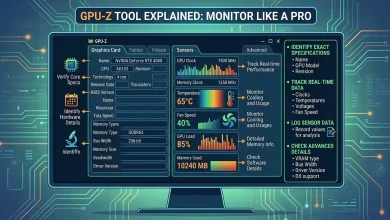
GPU Utilization measures how much of the GPU’s compute capacity is being used. High utilization generally indicates efficient use of resources, while low utilization might point to bottlenecks elsewhere in the system or wasted capacity. Similarly, Memory Utilization tracks how effectively the GPU’s VRAM is being used. Monitoring this helps prevent memory bottlenecks, especially with large datasets in AI or high-resolution textures in gaming.
Power Consumption and Temperature
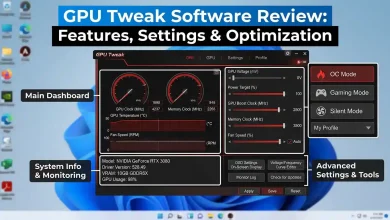
High-performance GPUs consume significant power, and monitoring Power Consumption is important for system stability, energy costs, and identifying inefficient usage. Closely related is Temperature. High operating temperatures can lead to thermal throttling, where the GPU automatically reduces its clock speed to prevent overheating, thereby degrading performance. Effective cooling solutions, including advanced air and liquid cooling, are increasingly crucial for maintaining optimal performance.
Top Graphics Cards for Enthusiast Gaming
The gaming GPU market is a fierce battleground, with NVIDIA and AMD constantly pushing the boundaries of performance and features. As of 2026, both companies offer compelling options across various price points and performance tiers, catering to resolutions from 1080p to demanding 4K.
NVIDIA’s Dominance with RTX 40 and 50 Series
NVIDIA continues to lead the high-end segment with its powerful RTX series, built on the Ada Lovelace architecture and the newer Blackwell architecture. The GeForce RTX 4090 remains the undisputed champion for raw performance, delivering exceptional frame rates in 4K gaming and supporting ultra-detailed virtual worlds with ray tracing and DLSS 3. It comes with a substantial 24 GB of G6X memory, making it a beast for both gaming and creative tasks.
The RTX 4080 SUPER is another formidable option, often praised for its ability to power fully ray-traced games in 4K, offering a significant performance leap over previous generations. For a balance of performance and value, the RTX 4070 Ti SUPER and RTX 4070 SUPER are ideal for maxing out games at high frame rates in 1440p and even stepping into 4K, benefiting from increased VRAM and memory bus width. These cards are designed to give gamers superpowers through AI-accelerated features and cutting-edge graphics.
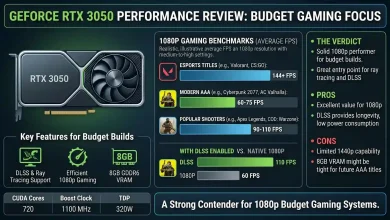
Looking ahead, the anticipated NVIDIA GeForce RTX 50 series, including the RTX 5090, RTX 5080, and RTX 5070 Ti, are expected to further solidify NVIDIA’s position with advancements like GDDR7 VRAM and the Blackwell GB202 silicon, pushing the envelope for 4K and even 8K gaming. The RTX 5080, in particular, has been highlighted as a top pick for 4K gaming, offering consistent and smooth frame rates across AAA titles. For those building a high-performance gaming PC, a card from this series would be a cornerstone. Considering an upgrade to your gaming setup? For 1080p gaming, the NVIDIA GeForce RTX 5060 is often recommended as an excellent entry-level choice.
AMD’s Competitive Radeon RX 7000 and 9000 Series
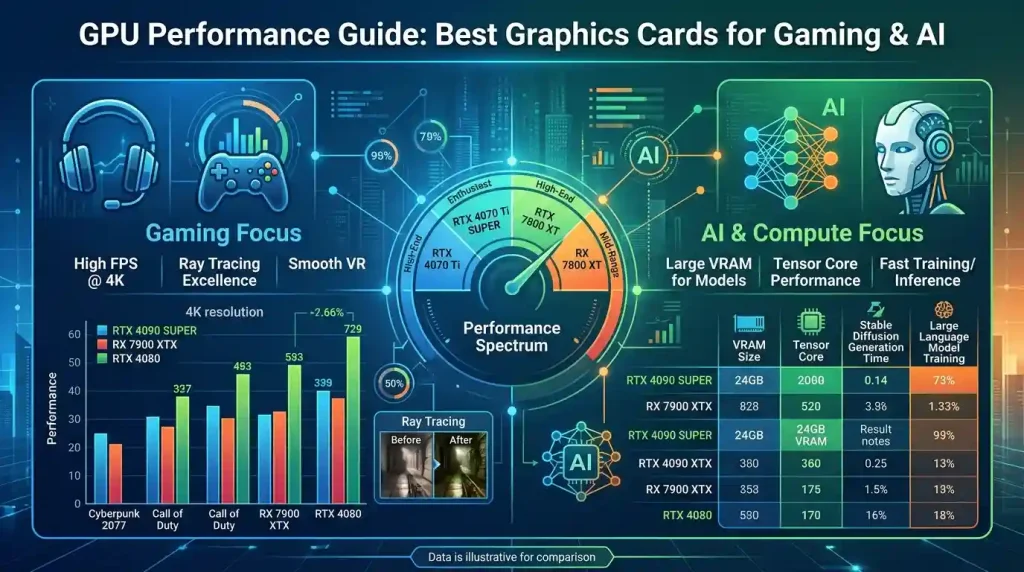
AMD has significantly intensified its competition with NVIDIA, particularly in the mid-range and enthusiast segments. The Radeon RX 7000 series, built on the RDNA 3 architecture, introduced the world’s first gaming GPUs with a chiplet-based design, leading to impressive performance and efficiency gains. The AMD Radeon RX 7900 XTX and RX 7900 XT offer breakthrough performance, especially at 4K resolution, featuring up to 24 GB of GDDR6 memory and advanced RDNA 3 compute units.
For gamers seeking excellent value, the AMD Radeon RX 7800 XT and RX 7700 XT deliver incredible high-refresh 1440p gaming experiences, with the RX 7800 XT also capable of stepping into 4K. These cards leverage AMD’s FidelityFX Super Resolution (FSR) technology for upscaling, boosting frame rates without sacrificing image quality.
The upcoming AMD Radeon RX 9000 series, including the Radeon RX 9070 XT, RX 9070, and RX 9060 XT 16GB, are poised to be strong contenders in 2026. The RX 9070 XT is often cited as the “Best Overall” pick, providing impressive performance figures for its price, particularly for 1080p and 2K gaming. The Radeon RX 9060 XT 16GB is highlighted as an attractive option for budget gamers, offering a significant generational performance leap. These cards promise enhanced RDNA 4 architecture and continued focus on value and competitive performance.
| GPU Model | Manufacturer | Architecture (Current/Upcoming) | Key Features for Gaming | Key Features for AI/ML | Typical Use Case |
|---|---|---|---|---|---|
| NVIDIA GeForce RTX 4090 | NVIDIA | Ada Lovelace | 24GB GDDR6X, DLSS 3, 3rd Gen RT Cores, 4th Gen Tensor Cores | High VRAM, excellent Tensor Core performance, CUDA ecosystem | Enthusiast 4K Gaming, Professional Content Creation, AI Development |
| NVIDIA GeForce RTX 5090 (Predicted) | NVIDIA | Blackwell | 32GB GDDR7 (predicted), DLSS 4 (predicted), Next-gen RT/Tensor Cores | Very high VRAM, top-tier AI acceleration, CUDA ecosystem | Extreme 4K/8K Gaming, Advanced AI Research & Training |
| AMD Radeon RX 7900 XTX | AMD | RDNA 3 | 24GB GDDR6, FSR, 2nd Gen Raytracing Accelerators, AI Accelerators | High VRAM, good compute density, ROCm platform support | High-End 4K Gaming, Mid-scale AI Inference |
| AMD Radeon RX 9070 XT (Predicted) | AMD | RDNA 4 | Enhanced FSR, improved Raytracing, AI Accelerators | Competitive VRAM, improved AI accelerators, ROCm platform | Enthusiast 1440p/4K Gaming, Entry-level AI Development |
| NVIDIA H100/H200 (Data Center) | NVIDIA | Hopper | N/A (not for gaming) | 80GB/141GB HBM3/HBM3e, specialized Transformer Engine, CUDA | Large-scale AI Model Training, HPC |
| AMD Instinct MI300X/MI325X (Data Center) | AMD | CDNA | N/A (not for gaming) | High memory capacity, open-source ROCm platform, chiplet design | Memory-intensive AI Workloads, Large-scale Inference |
| NVIDIA RTX 6000 Ada Generation | NVIDIA | Ada Lovelace | Professional rendering, workstation graphics | 48GB GDDR6 ECC memory, 4th Gen Tensor Cores, CUDA | AI-driven Content Creation, Deep Learning Research, Real-time AI |
The Powerhouses: Graphics Cards for AI and Machine Learning
While gaming demands significant GPU horsepower, Artificial Intelligence and Machine Learning workloads often have even more stringent requirements, particularly concerning memory capacity, bandwidth, and specialized acceleration. The best GPUs for AI are designed to handle complex matrix operations and large datasets with extreme efficiency.
NVIDIA’s AI Dominance: Tensor Cores and CUDA Ecosystem
NVIDIA has established a commanding lead in the AI hardware market, largely due to its robust CUDA ecosystem and highly optimized Tensor Cores. The NVIDIA H100 Tensor Core GPU, built on the Hopper Architecture, is widely regarded as a premier choice for large AI models, accelerating them by up to 30x with its specialized transformer engine. Its successor, the NVIDIA H200, further advances this with substantial boosts in memory capacity and bandwidth (up to 141GB HBM3e at 4.8TB/s), making it ideal for the most demanding large language models (LLMs) and high-performance computing (HPC) tasks.
For enterprise-level AI, NVIDIA also offers GPUs like the A100 Tensor Core GPU and the A40 GPU, which are highly compatible with popular ML libraries like TensorFlow and PyTorch. The NVIDIA RTX 6000 Ada Generation is a professional-grade GPU with 48GB of GDDR6 ECC memory, 18,176 CUDA cores, and fourth-gen Tensor cores, positioning it as a powerful solution for AI developers and researchers who need top-tier performance without data center costs.
Even consumer-grade GPUs like the NVIDIA GeForce RTX 4090 and the upcoming RTX 5090 are excellent choices for AI development and prototyping due to their high VRAM (24GB for RTX 4090, 32GB for RTX 5090) and potent Tensor Core performance. The CUDA platform provides a mature and extensive software stack, offering unparalleled support and optimization for AI frameworks, making it the preferred choice for many researchers and developers. Teams looking to maximize performance per training cycle often lean towards NVIDIA. Those focusing on optimizing AI and ML frameworks will find NVIDIA’s ecosystem particularly beneficial.
AMD’s Growing Presence: Instinct Series and ROCm
AMD is rapidly closing the gap in the AI segment with its Instinct line of GPUs and the open-source ROCm platform. While NVIDIA focuses on specialized AI accelerators, AMD emphasizes raw compute density and superior memory bandwidth, relying on vast compute units and high-capacity memory stacks. The AMD Instinct MI300X and MI325X are formidable contenders, offering high memory capacity and open-source flexibility, making them compelling alternatives for large-scale deployments and memory-intensive workloads.
AMD’s ROCm platform, being open-source and vendor-agnostic, offers flexibility and the ability to work with existing CUDA codebases, a significant advantage for some organizations. ROCm 6.2, for instance, introduces support for essential AI features like FP8 datatype and Flash Attention 3. For budget-conscious AI developers, consumer cards like the AMD Radeon RX 7900 XTX can be a viable choice due to its 24GB of GDDR6 memory and strong OpenCL performance, especially for smaller-scale model training and AI inference.
However, it’s worth noting that while AMD’s hardware can be cost-effective and offer better price-to-performance in certain inference scenarios, NVIDIA’s CUDA ecosystem generally provides a more mature and optimized training pipeline.
Bridging Worlds: Gaming Features Enhanced by AI
The convergence of gaming and AI is perhaps most evident in the suite of features designed to enhance visual fidelity and performance. These AI-powered technologies are revolutionizing how games look and run, offering players more immersive and responsive experiences.
DLSS and FSR: AI-Powered Upscaling
Both NVIDIA and AMD have developed proprietary AI-driven upscaling technologies that render games at a lower resolution and then use AI to intelligently reconstruct the image to a higher resolution, significantly boosting frame rates without a noticeable loss in visual quality.
- NVIDIA DLSS (Deep Learning Super Sampling): Utilizing the dedicated Tensor Cores on RTX GPUs, DLSS employs AI to render sharper images and achieve higher frame rates. DLSS 3, with its Frame Generation technology, can AI-generate seven out of eight pixels, accelerating full ray tracing by up to 4x. This results in stunning visual worlds and ultra-high FPS gaming. The upcoming DLSS 4 with Multi Frame Generation is expected with the RTX 50 series.
- AMD FSR (FidelityFX Super Resolution): AMD’s answer to upscaling, FSR, is an open-source technology compatible with a broader range of GPUs (both AMD and NVIDIA). FSR 2.2 and upcoming FSR 3 utilize AI to improve visual fidelity and boost frame rates, making modern AAA titles more accessible at higher settings.
Ray Tracing and AI Acceleration
Ray tracing, a graphics rendering technique that simulates the physical behavior of light, creates incredibly realistic lighting, shadows, and reflections. While computationally intensive, the dedicated RT Cores in NVIDIA GPUs and second-generation raytracing accelerators in AMD GPUs, combined with AI upscaling, make real-time ray tracing a viable and increasingly mainstream feature in modern games.
AI-Enhanced Media and Productivity Features
Beyond gaming, AI is also enhancing various media and productivity features on GPUs:
- NVIDIA Broadcast: Leverages AI for features like noise removal, virtual backgrounds, and eye contact correction during live streaming and video calls.
- RTX Video Super Resolution: Uses AI to upscale streamed video content, improving clarity and sharpness.
- AI-Accelerated Encoding: Both NVIDIA and AMD GPUs offer hardware-accelerated video encoding (e.g., AV1 encoding), which is crucial for streamers and content creators.
These features demonstrate how AI is seamlessly integrated into the GPU ecosystem to deliver transformative capabilities across gaming, content creation, and everyday productivity.
The Future Landscape of GPU Technology
The pace of innovation in GPU technology shows no signs of slowing down. As we look towards 2026 and beyond, several key trends are set to redefine the capabilities and applications of graphics processing units.
Chiplet Designs and High Bandwidth Memory (HBM) Advancements
One significant architectural shift is the increasing adoption of chiplet-based designs. AMD’s RDNA 3 architecture pioneered this in gaming GPUs, allowing for greater modularity, improved manufacturing flexibility, and enhanced performance-per-watt. This approach enables manufacturers to integrate different components, like compute units and memory controllers, on separate dies within a single package, potentially leading to more scalable and cost-efficient GPUs.
Memory technology will also continue to evolve. While GDDR7 is expected to become prevalent in consumer GPUs like NVIDIA’s RTX 50 series, High Bandwidth Memory (HBM) will see further advancements in data center and professional AI GPUs. HBM offers significantly higher bandwidth compared to GDDR, crucial for feeding the immense data demands of large AI models.
Integrated AI Accelerators and Hybrid Architectures
The integration of specialized AI accelerators, such as NVIDIA’s Tensor Cores and AMD’s AI accelerators, will become even more sophisticated and ubiquitous. Future GPUs might feature more dedicated AI-centric tasks, potentially diverging further from purely graphical applications to support these computational needs. There is also a growing trend towards hybrid processing architectures that combine the strengths of GPUs and traditional CPUs within a single system, or even on a single chip, to enable more efficient task distribution and improved workload management.