GPU Vertical Mount Ideas for Stylish Gaming PCs: 7 Stunning Setup Inspirations

Table of Contents
GPU vertical mount solutions have rapidly evolved from niche modding projects into a mainstream trend, transforming the visual appeal of gaming PCs and offering practical benefits beyond mere aesthetics. For PC enthusiasts who invest significantly in high-end graphics cards, showcasing these powerful components has become as important as their raw performance. Modern GPUs often feature intricate cooler designs, vibrant RGB lighting, and premium materials that are obscured when mounted horizontally in the traditional manner. Vertical mounting reorients the graphics card, positioning it perpendicular to the motherboard, making it a prominent centerpiece visible through tempered glass side panels.
The allure of a vertically mounted GPU extends beyond its visual impact. It also addresses common issues such as GPU sag, a phenomenon where heavy graphics cards can strain and potentially damage the motherboard’s PCIe slot over time. By providing robust support, vertical mounts help maintain the integrity of both the GPU and the motherboard. However, adopting a vertical GPU mount requires careful consideration of various factors, including case compatibility, the quality of the PCIe riser cable, and potential impacts on thermal performance. This comprehensive guide delves into the world of vertical GPU mounting, exploring diverse Ideas for Stylish ideas for stylish gaming PCs, detailing installation considerations, and offering insights into optimizing your build for both looks and functionality.
The Aesthetic Appeal and Functionality of GPU Vertical Mount
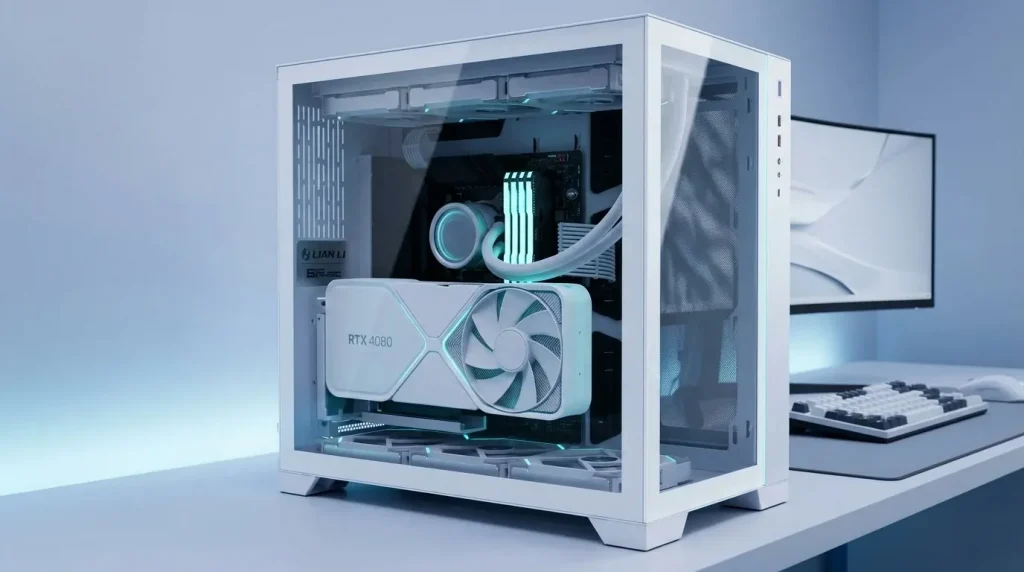
The primary driver behind the surge in popularity of vertical GPU mounting is undoubtedly aesthetics. High-end graphics cards are often masterfully designed, incorporating complex fan shrouds, elaborate heatsinks, and customizable RGB lighting that are meant to be seen. When installed horizontally, the most visually striking aspects of the GPU face downwards or towards the back of the case, largely hidden from view. Vertical mounting, however, rotates the card 90 degrees, presenting its full glory directly to the tempered glass side panel of a PC case.
Beyond the visual spectacle, vertical GPU mounting offers several functional advantages. One significant benefit is the prevention of GPU sag. Contemporary graphics cards, especially top-tier models like the RTX 4090, are increasingly heavy and can exert considerable leverage on the PCIe slot of the motherboard when mounted horizontally. This can lead to unsightly drooping and, in severe cases, long-term damage to the slot or the card itself. Vertical brackets provide structural support, often incorporating anti-sag mechanisms or sturdy designs that eliminate this concern.
Another purported benefit is improved airflow and cooling. In some configurations, particularly in cases with ample bottom intake fans, vertical mounting can theoretically allow the GPU fans to draw in cooler, unimpeded air, potentially leading to lower operating temperatures. However, this aspect is highly dependent on case design and the proximity of the GPU to the side panel. If the GPU is mounted too close to the side panel, especially a solid glass one, it can choke the fans, restricting fresh air intake and potentially increasing temperatures. Therefore, careful planning of case airflow is crucial for effective vertical mounting. Additionally, some vertical mounts can free up horizontal space on the motherboard, which might allow for larger CPU coolers, additional radiators, or better cable management.
Understanding Vertical GPU Mounting Kits: Types and Compatibility
To vertically mount a graphics card, a specialized kit is typically required, comprising a mounting bracket and a PCIe riser cable. These kits come in various designs, each with its own compatibility considerations and installation nuances.
The two primary types of vertical GPU mounting solutions are:
- Case-Specific Vertical Mounts: Many modern PC cases, particularly those designed with aesthetic showcasing in mind, come with integrated vertical GPU mounting options or dedicated brackets from the case manufacturer. These solutions are often tailored to fit the specific dimensions and design language of the case, ensuring optimal clearance and a seamless look. Examples include kits designed for NZXT H-series cases or Corsair models. These integrated mounts often offer the best fit and can simplify the installation process, as they are designed to work harmoniously with the case’s internal layout.
- Universal Vertical GPU Mounts: For cases that do not feature built-in vertical mounting capabilities, universal brackets offer a versatile aftermarket solution. These kits typically replace the standard horizontal PCIe expansion slots at the rear of the case, allowing a graphics card to be mounted vertically within the chassis. Universal mounts are designed to be compatible with a wide range of ATX and Micro-ATX cases, provided the case has enough available PCIe slots (usually 7 for a standard mount). Popular universal options include those from Cooler Master, Lian Li, and EZDIY-FAB.
When selecting a vertical GPU mount, several compatibility factors must be considered:
- Case Clearance: Ensure your case has sufficient internal depth and width to accommodate the vertically mounted GPU. The distance between the GPU fans and the side panel is critical for airflow. Some brackets offer adjustable positioning, allowing you to move the GPU further from the side panel to improve thermal performance.
- PCIe Slot Requirements: Most universal brackets require at least 7 open PCIe expansion slots at the rear of the case. Cases with “open” PCIe slot designs are generally more compatible, as they don’t have metal bars separating each slot, which might need to be cut for some brackets.
- GPU Size and Weight: Modern GPUs can be exceptionally thick (up to 4 slots wide) and heavy. Choose a bracket that can securely support your GPU’s dimensions and weight, often with reinforced support arms or sturdy construction.
- PCIe Riser Cable Generation: The riser cable connects the GPU to the motherboard’s PCIe slot. It is crucial to select a riser cable that matches the PCIe generation of your motherboard and GPU (e.g., PCIe 4.0 or PCIe 5.0). Using an older generation cable with newer hardware can lead to performance bottlenecks or instability. High-quality riser cables are essential for maintaining signal integrity and avoiding performance degradation.
Installation Essentials: Riser Cables, Case Considerations, and Airflow
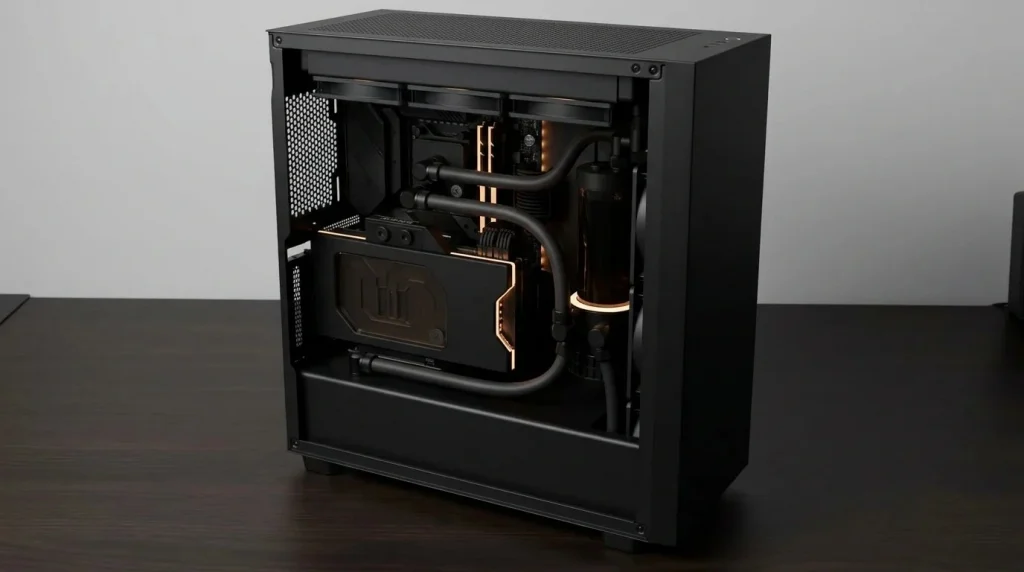
The installation of a vertical GPU mount, while generally straightforward, involves several critical steps and considerations to ensure both proper functionality and optimal performance. The heart of any vertical GPU setup is the PCIe riser cable, which acts as an extension, allowing the graphics card to connect to the motherboard’s PCIe x16 slot remotely. These cables are not merely passive extensions; their quality directly impacts signal integrity and, consequently, GPU performance.
PCIe Riser Cables: The Lifeline of Vertical Mounting
Choosing the correct PCIe riser cable is paramount. It must match the PCIe generation of your components to avoid bandwidth limitations and potential instability. For instance, if you have a modern GPU and motherboard supporting PCIe 4.0 or 5.0, you must use a riser cable rated for that generation. Inferior or older generation cables can introduce signal attenuation, leading to reduced performance, stuttering, or even system crashes. Brands like InWin, Cooler Master, Lian Li, and NZXT offer high-quality, shielded PCIe 4.0 and 5.0 riser cables designed for minimal signal loss and durability.
Flexible cables are easier to route, but it is important to avoid excessively sharp bends, which can damage the internal wiring and affect signal integrity. Ensure the cable length is sufficient for your specific case and mounting position, as some larger cases may require longer cables.
Case Compatibility and Modifications
While many cases now offer native vertical GPU mounting options, universal brackets often require the removal of horizontal PCIe slot bars at the rear of the case. This may involve using tools like a Dremel or mini hacksaw to cut the metal, which should be done with extreme care to prevent damage to other components and to avoid metal shavings from contaminating the PC. Some brackets utilize existing screw holes, but some cases may still require minor modifications for a perfect fit.
Airflow Considerations: A Delicate Balance
Perhaps the most debated aspect of vertical GPU mounting is its impact on thermal performance. When a GPU is mounted vertically, its fans typically face the side panel of the case. If the GPU is too close to a solid glass panel, it can create a restricted airflow zone, causing the fans to struggle for fresh air and leading to higher GPU temperatures. This effect is more pronounced with air-cooled GPUs, as they rely heavily on unobstructed airflow.
To mitigate potential thermal issues, consider the following:
- Clearance is Key: Aim for at least 3-5cm of clearance between the GPU fans and the side panel. Some vertical mounts offer adjustable depth, allowing you to position the GPU further into the case.
- Bottom Intake Fans: Cases with bottom intake fan mounts are ideal, as these fans can directly feed cool air to the vertically mounted GPU. This setup can create a positive pressure zone around the GPU, improving thermal performance.
- Overall Case Airflow: Ensure your case has a well-designed airflow path, with a balance of intake and exhaust fans. A chimney-style airflow (bottom intake, top exhaust) can be particularly effective with vertical GPU mounts.
- GPU Cooler Design: Some GPU coolers, particularly those with vapor chambers or specific heatpipe orientations, might be less efficient when oriented vertically. While many modern designs are optimized for various orientations, it’s a factor to be aware of.
- Liquid Cooling: If you are using an All-in-One (AIO) liquid cooler or a custom water-cooling loop for your GPU, thermal concerns with vertical mounting are significantly reduced, as the cooling is not reliant on direct air intake from the side panel.
Elevating Your Build’s Aesthetics: Beyond Mere Orientation
While the vertical orientation of the GPU itself is a significant aesthetic upgrade, savvy PC builders go further to integrate it seamlessly into a cohesive and stylish gaming rig. The goal is to transform the PC from a collection of components into a carefully curated showcase. This involves meticulous attention to detail, leveraging lighting, cable management, and the overall theme of the build.
RGB Illumination and Customization
Modern graphics cards often feature elaborate RGB lighting on their fans, shrouds, and backplates. Vertical mounting places these elements front and center, allowing them to become a focal point of the build. Integrating the GPU’s RGB with other system components, such as CPU coolers, RAM, and case fans, through motherboard software or dedicated RGB controllers creates a synchronized and dynamic light show. Some vertical mount brackets even come with integrated ARGB lighting, offering additional customization options and enhancing the overall visual impact.
Custom Cables and Sleeving
The cables connecting to the GPU – primarily PCIe power cables – become more visible with a vertical mount. This presents an excellent opportunity for further aesthetic enhancement through custom-sleeved cables. Matching the color scheme of your custom cables to your build’s theme, or opting for braided cables in contrasting colors, adds a premium touch. Cable management also becomes crucial; routing cables neatly behind the motherboard tray or using cable combs ensures a clean and uncluttered look, preventing them from detracting from the GPU’s display.
Backplate Designs and Accessories
Many high-end GPUs feature aesthetically pleasing backplates, sometimes with unique designs or integrated lighting. A vertical mount allows these backplates to be admired through the side panel. Additionally, some builders add custom GPU backplate covers or accessories that further personalize the look, often featuring laser-etched designs or additional RGB elements. Anti-sag brackets, beyond their functional purpose, can also be chosen for their aesthetic qualities, with some brands offering designs that blend seamlessly with the GPU or feature their own lighting.
Here is a table summarizing key considerations for achieving a stylish vertical GPU setup:
| Aspect | Description | Aesthetic & Functional Impact |
|---|---|---|
| GPU Cooler Design | GPUs with elaborate fan shrouds, large heatsinks, and RGB elements. | Becomes the central visual focus, showcasing intricate details and lighting. |
| PCIe Riser Cable | High-quality, flexible cable matching PCIe generation (4.0/5.0). | Ensures reliable performance; flexible cables aid in clean routing. |
| Vertical Mount Bracket | Case-specific or universal, sturdy, often with adjustable depth/tilt. | Provides secure support, prevents sag, and allows optimal positioning for aesthetics and airflow. |
| Case Side Panel | Tempered glass or acrylic, offering clear view of components. | Essential for showcasing the vertically mounted GPU. |
| Custom Cables | Sleeved PCIe power cables in matching or contrasting colors. | Adds a premium, personalized touch and enhances overall cleanliness. |
| RGB Lighting Sync | Coordinated lighting across GPU, fans, RAM, and other components. | Creates a dynamic and cohesive light show within the PC. |
| Airflow Configuration | Balanced intake/exhaust, especially bottom intake fans. | Maintains optimal GPU temperatures, ensuring consistent performance. |
Optimizing Performance and Thermals with Vertical Mounts
While the aesthetic benefits of vertical GPU mounting are undeniable, ensuring optimal performance and managing thermals is crucial for any gaming PC. As discussed, the proximity of the GPU to the side panel can significantly impact cooling efficiency. Therefore, a strategic approach to airflow and component selection is necessary to maintain or even improve thermal performance with a vertical setup.
One of the most effective ways to optimize thermals for a vertically mounted GPU is by leveraging cases with excellent airflow characteristics and dedicated features. Cases designed with vertical GPU mounting in mind often include ample space between the GPU and the side panel, or feature perforated side panels that allow for better air intake. Some innovative case designs, like those with a 90-degree rotated motherboard layout, utilize a “stack effect” to draw cool air from the bottom and expel hot air efficiently through the top, which can be highly beneficial for vertical GPUs.
Configuring case fans effectively is paramount. Installing one or two bottom intake fans that blow directly upwards towards the vertically mounted GPU can significantly improve its cooling performance by providing a constant supply of fresh air. This helps counteract the restrictive effect of a close side panel. Additionally, ensuring sufficient exhaust fans at the top and rear of the case helps to quickly remove the hot air generated by the GPU and other components, preventing heat recirculation within the chassis.
For high-power GPUs that generate substantial heat, integrating liquid cooling can be an excellent solution for vertical mounts. Both AIO (All-in-One) liquid coolers and custom water-cooling loops for GPUs effectively bypass the air-restriction issues associated with vertical mounting, as the heat is transferred away from the GPU die to a radiator. This allows for stable temperatures even under heavy loads, ensuring the GPU can maintain its boost clocks and deliver maximum performance.
Monitoring GPU temperatures before and after installing a vertical mount is highly recommended. Tools like MSI Afterburner or other system monitoring software can provide real-time data, allowing you to assess the impact of the new orientation and make necessary adjustments to fan curves or case airflow. If temperatures are consistently high, consider repositioning the GPU further from the side panel if your bracket allows, or optimizing your fan configuration. As a general guideline, a temperature increase of a few degrees Celsius might be acceptable, but significant spikes (e.g., 10°C or more) could indicate a need for thermal optimization.
It’s also worth noting that the quality of the PCIe riser cable plays a role not just in signal integrity but indirectly in thermals. A low-quality cable causing signal instability could lead to the GPU throttling its performance, which might inadvertently lower temperatures but at the cost of performance. Investing in a high-quality PCIe 4.0 or 5.0 riser from reputable brands ensures that your GPU operates at its full potential without unnecessary performance limitations. More information on PCI Express technology can be found on Wikipedia.
Showcasing Your Hardware: Creative Vertical Mount Setups
Once the technical aspects of vertical GPU mounting are addressed, the fun truly begins in unleashing creativity to make your gaming PC a unique showpiece. There are numerous ways to integrate a vertically mounted GPU into different build themes and case designs, maximizing its visual impact.
For minimalist builds, a vertical GPU mount can provide a striking contrast against a clean, uncluttered interior. Pairing a vertically mounted GPU with subtle RGB lighting and clean cable management creates a sophisticated and modern look. Cases with simple, solid tempered glass panels are ideal for this approach, allowing the GPU to be the sole focal point. Choosing a GPU with a sleek, monochromatic design can further enhance the minimalist aesthetic.
In RGB-heavy builds, a vertically mounted GPU becomes a central canvas for light effects. Coordinated RGB patterns and colors across the GPU, CPU cooler, RAM, and case fans create a synchronized spectacle. This is particularly effective in cases with multiple tempered glass panels or open designs that offer expansive views of the interior. Addressable RGB (ARGB) components, including those on some vertical brackets, allow for complex and customizable lighting animations, truly bringing the build to life.
For those with custom water-cooling loops, a vertical GPU mount is almost a necessity. It allows the intricate design of the GPU water block and the flow of coolant to be proudly displayed. The vertical orientation often provides better clearance for tubing runs and radiators, simplifying the layout of complex custom loops. Paired with colored coolants and illuminated fittings, a vertically mounted water-cooled GPU becomes an undeniable centerpiece.
Some newer vertical GPU mounts offer advanced features like tilt functionality or multi-angle adjustments. This allows builders to angle the GPU slightly towards the side panel or motherboard, fine-tuning its presentation and even potentially improving airflow by directing fans more optimally. Such adjustability provides unprecedented flexibility in creating dynamic and personalized displays, making the GPU appear almost suspended within the case.
Case selection plays a crucial role in creative vertical mount setups. Cases like the HYTE Y60 or Y70 are explicitly designed to highlight a vertically mounted GPU, often featuring panoramic tempered glass and a layout that naturally centers the graphics card. Other cases, such as the Lian Li O11 Dynamic series, also offer excellent platforms for showcasing components, including vertical GPUs, due to their spacious interiors and modular design. For a truly unique look, some enthusiasts even opt for open-air test bench style cases, where a vertical GPU is exposed to the environment, becoming an artistic statement in itself.
Conclusion
The trend of GPU vertical mounting has undeniably reshaped the landscape of stylish gaming PC builds, moving beyond a simple aesthetic choice to offer tangible benefits like sag prevention. Modern graphics cards are sophisticated pieces of engineering and art, and vertical mounting ensures their intricate designs and dynamic lighting are prominently displayed. While the visual upgrade is a primary draw, careful consideration of factors such as PCIe riser cable quality, case compatibility, and optimized airflow is crucial to ensure that aesthetics do not compromise performance.
With a wide array of case-specific and universal mounting kits now available, alongside high-speed PCIe 4.0 and 5.0 riser cables, achieving a stunning vertically mounted GPU setup is more accessible than ever. Whether you’re aiming for a minimalist masterpiece, an RGB-infused spectacle, or a bespoke water-cooled rig, integrating a vertical GPU provides a unique opportunity to personalize your gaming PC. By embracing smart installation practices, prioritizing proper airflow, and leveraging creative design choices, PC enthusiasts can elevate their builds into true showpieces that blend powerful performance with captivating style. The vertically mounted GPU is more than just a component; it’s a statement, a focal point that transforms an ordinary PC into an extraordinary work of art.