GPU in Laptop: A Comprehensive Guide to Graphics Processing Units in Portable Computing
Table of Contents
GPU in laptop technology has undergone a remarkable evolution, transforming portable computers from mere productivity tools into powerful workstations and immersive gaming machines. A Graphics Processing Unit (GPU), also known as a video card or graphics card, is a specialized electronic circuit primarily designed to accelerate digital image processing and render computer graphics. While traditionally associated with high-end desktop gaming, modern laptop GPUs now deliver impressive performance in compact and efficient packages, catering to a wide array of users from casual browsers to professional content creators and serious gamers alike.
Introduction to Laptop GPUs
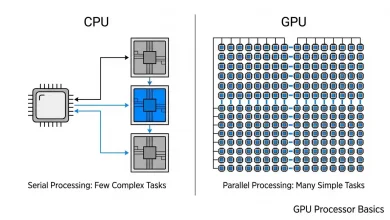
The graphics processing unit (GPU) plays a crucial role in handling all graphics-related work on a laptop, including rendering visuals, applying effects, processing videos, and facilitating gaming. Unlike a central processing unit (CPU) which excels at sequential processing tasks, GPUs are built for parallel processing, allowing them to handle many pieces of data simultaneously. This parallel architecture makes them incredibly efficient for tasks that involve repetitive calculations on large datasets, such as rendering complex 3D scenes, processing high-resolution video, or training artificial intelligence models.
The integration of powerful GPUs into laptops has enabled a new era of mobile computing. From editing 4K video on the go to playing the latest AAA games at high frame rates, a capable laptop GPU is now a cornerstone of many portable setups. The challenge for manufacturers lies in balancing raw power with the inherent constraints of a laptop form factor, namely power consumption, heat dissipation, and physical size. This has led to innovative designs and specialized mobile GPU variants that are optimized for efficiency without sacrificing too much performance compared to their desktop counterparts.
Integrated vs. Dedicated GPUs: The Fundamental Distinction
When discussing GPUs in laptops, the most critical distinction is between integrated graphics (iGPUs) and dedicated (or discrete) graphics (dGPUs). This choice significantly impacts a laptop’s performance, cost, battery life, and overall design.
- Integrated GPUs (iGPUs): An integrated GPU is built directly into the laptop’s main processor (CPU) or the motherboard and shares system resources, such as memory (RAM), with the CPU. These are found in most everyday laptops and are designed for efficiency and cost-effectiveness. Integrated graphics have improved significantly and can handle most common tasks, including web browsing, office applications, video playback, casual gaming, and light photo editing. Their advantages include lower power consumption, which leads to longer battery life, and a smaller footprint, allowing for thinner and lighter laptop designs. For instance, Intel’s Iris Xe Graphics and AMD’s Radeon Graphics are common examples of integrated GPUs found in modern processors.
- Dedicated GPUs (dGPUs): A dedicated GPU is a separate, self-contained graphics processor with its own dedicated high-speed video memory (VRAM) and cooling system. These are significantly more powerful than integrated GPUs and are essential for demanding tasks such as high-performance gaming, intensive video editing, 3D modeling, CAD (Computer-Aided Design), and AI workloads. Dedicated GPUs offer superior performance, dedicated memory that reduces strain on system resources, and support for advanced features like ray tracing and AI-enhanced graphics. However, they come with higher costs, increased power consumption (leading to shorter battery life), and generate more heat, necessitating more robust cooling solutions and thicker laptop designs. NVIDIA’s GeForce RTX series and AMD’s Radeon RX series are prime examples of dedicated GPUs found in high-performance laptops.
Many laptops, particularly those with dedicated GPUs, utilize a hybrid graphics solution (like NVIDIA Optimus) that allows the system to intelligently switch between the integrated GPU for lighter tasks and the dedicated GPU for more demanding workloads. This aims to strike a balance between performance and battery life.
How Laptop GPUs Function and Their Key Components
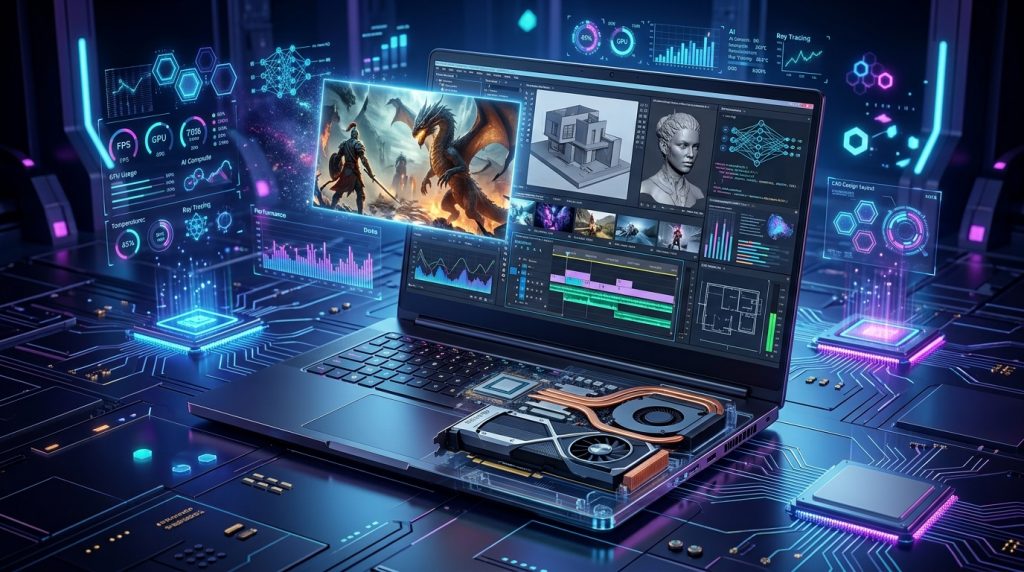
At its core, a GPU processes visual data to render what appears on your screen. It works in conjunction with the CPU, which handles calculations, logic, and general system tasks. The GPU, on the other hand, specializes in parallel workloads like video playback, graphics rendering, and increasingly, AI acceleration. Modern software often offloads these tasks to the GPU, significantly improving speed and efficiency.
Key components of a dedicated laptop GPU include:
- Graphics Processing Unit (GPU Die): This is the central chip that performs the calculations. It contains hundreds or even thousands of processing cores designed for parallel execution.
- Video RAM (VRAM): Dedicated memory specifically for the GPU to store and quickly access textures, shaders, and other graphical data. More VRAM allows for smoother rendering of high-resolution textures and complex scenes. For professional video editing, 10GB to 16GB of VRAM is recommended, with higher amounts beneficial for 4K workloads.
- Power Delivery System: As powerful components, GPUs require a stable and robust power supply. In laptops, this system is optimized to deliver necessary power while managing heat and battery life.
- Cooling System: Generating considerable heat, especially under load, dedicated GPUs require sophisticated cooling solutions, often involving heat pipes, vapor chambers, and multiple fans, to maintain optimal operating temperatures and prevent thermal throttling.
The main difference between laptop and desktop GPUs, even those with similar names, lies in their optimization for power efficiency, heat management, and size. Laptop GPUs are typically downclocked and throttled to fit within the thermal and power envelopes of a portable chassis, meaning they often perform at lower clock speeds and power consumption compared to their desktop counterparts.
Major GPU Manufacturers and Their Offerings
The laptop GPU market is primarily dominated by a few key players, each offering a range of products catering to different performance tiers and user needs:
NVIDIA GeForce RTX and NVIDIA Studio
NVIDIA has a significant presence in the dedicated laptop GPU market, particularly with its GeForce RTX series, which is a popular choice among gamers and content creators. NVIDIA GPUs offer advanced features like ray tracing for realistic lighting and reflections, and DLSS (Deep Learning Super Sampling) for AI-powered upscaling and frame generation, which significantly boosts performance and visual quality. The latest NVIDIA RTX 50-series (Blackwell) mobile GPUs are anticipated to bring further performance improvements and power efficiency. For professional creative work, NVIDIA also offers its Studio laptops, equipped with powerful NVIDIA RTX GPUs and optimized for applications like Adobe Creative Cloud, enabling real-time video editing up to 6K and accelerated 3D model animation.
AMD Radeon RX
AMD’s Radeon RX series for laptops, built on architectures like RDNA 3, offers competitive performance, especially for gaming and content creation. AMD GPUs are known for strong OpenCL performance and provide excellent performance-per-watt characteristics. The AMD Radeon RX 7900M GPU, for instance, is the first-ever laptop graphics processor based on a chiplet design, featuring 16GB of GDDR6 memory. AMD’s integrated Radeon Graphics are also found in many of their processors, offering capable performance for everyday tasks and casual gaming.
Intel Arc Graphics
Intel has re-entered the discrete GPU market with its Arc brand, designed for gaming, content creation, and professional applications. Intel Arc GPUs, such as the Arc A-series (Alchemist) and the upcoming Battlemage (B-series), support hardware-based ray tracing, XeSS (Xe Super Sampling) upscaling, and AV1 codec support for high-quality content creation. Intel Arc GPUs are also integrated into the Intel Core Ultra processors, delivering AI-enhanced graphics capabilities and efficient performance for creative tasks.
Comparison of Recent Laptop GPUs
| Manufacturer | GPU Series | Key Features | Target Use Case | Typical VRAM (Dedicated) |
|---|---|---|---|---|
| NVIDIA | GeForce RTX 50-series (e.g., RTX 5090, 5080) | Advanced Ray Tracing, DLSS (AI Upscaling/Frame Gen), CUDA Cores, high performance. | High-end Gaming, Professional Content Creation (4K video editing, 3D rendering, AI/ML). | 12GB – 24GB GDDR6/GDDR7 |
| NVIDIA | GeForce RTX 40-series (e.g., RTX 4070, 4060) | Ray Tracing, DLSS, good balance of performance and efficiency. | Mainstream to High-end Gaming (1080p/1440p), Content Creation, everyday demanding tasks. | 8GB – 12GB GDDR6 |
| AMD | Radeon RX 7000M Series (e.g., RX 7900M) | RDNA 3 architecture, FSR (FidelityFX Super Resolution), chiplet design (for 7900M). | High-end Gaming, Content Creation, balanced performance. | Up to 16GB GDDR6 |
| Intel | Arc A-series (e.g., Arc A770M, A750M) | Xe-HPG architecture, XeSS (AI Upscaling), hardware ray tracing, AV1 encoding. | Mid-range Gaming, Content Creation (photo/video editing), everyday tasks with AI acceleration. | 8GB – 16GB GDDR6 |
| Integrated | Intel Iris Xe / AMD Radeon Graphics | Part of CPU, shares system RAM, energy-efficient, capable for everyday use. | General Productivity, Web Browsing, Video Streaming, Light Photo Editing, Casual Gaming. | Shares system RAM |
Choosing the Right GPU for Your Needs: Factors to Consider
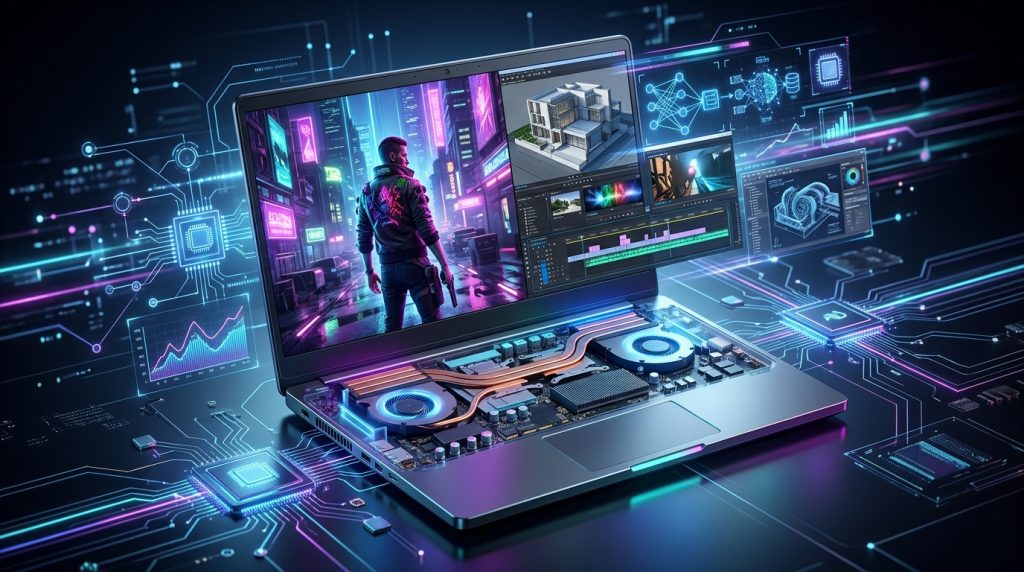
Selecting the appropriate GPU for a laptop involves careful consideration of several factors, as it directly impacts performance, portability, battery life, and cost.
- Intended Use and Performance Requirements:
- Everyday Tasks: For web browsing, word processing, streaming videos, and light photo editing, integrated graphics (like Intel Iris Xe or AMD Radeon Graphics) are usually sufficient, offering excellent battery life and affordability.
- Gaming: For serious gaming, especially at high resolutions (1080p, 1440p, 4K) or with high refresh rates, a dedicated GPU is essential. The choice depends on the games you play and your desired settings. Entry-level dedicated GPUs (e.g., NVIDIA RTX 4050/5050, AMD Radeon RX 7600M) can handle many games at 1080p with decent settings, while high-end GPUs (e.g., NVIDIA RTX 5080/5090, AMD Radeon RX 7900M) are needed for demanding titles at higher resolutions and maximum settings.
- Content Creation (Video Editing, 3D Rendering, Graphic Design): Professional creative applications like Adobe Premiere Pro, Photoshop, and 3D modeling software heavily leverage GPU acceleration. A powerful dedicated GPU with ample VRAM is crucial for smooth workflows, faster rendering, and handling large files. NVIDIA RTX GPUs with CUDA cores are often considered the gold standard for creative work due to broad software support. For video editing, an RTX 4070/5070 or higher with at least 12-16GB VRAM is often recommended.
- AI/Machine Learning: GPUs are increasingly vital for AI and machine learning workloads due to their parallel processing capabilities. If you plan to train AI models locally, a dedicated GPU with significant VRAM (e.g., 16GB or more) is highly beneficial.
- Budget: Dedicated GPUs significantly add to a laptop’s overall cost. Integrated graphics offer a more cost-effective option.
- Portability and Battery Life: Laptops with integrated graphics are typically thinner, lighter, and offer longer battery life due to lower power consumption. Dedicated GPUs consume more power, generate more heat, and require larger cooling systems, often resulting in thicker, heavier laptops with shorter battery endurance, especially during intensive tasks.
- VRAM (Video Random Access Memory): For dedicated GPUs, the amount of VRAM is crucial. It directly impacts the GPU’s ability to handle high-resolution textures, complex models, and large datasets. For 1080p gaming, 6GB VRAM is a minimum, while 8GB or more is recommended for 1440p or 4K. For professional video editing, 10GB to 16GB is often needed.
- GPU Power Limits (TGP – Total Graphics Power): This is a crucial, often overlooked detail. Two laptops can have the same dedicated GPU model but perform differently due to varying power limits. A thinner laptop might run the same GPU at a lower wattage than a thicker gaming laptop, impacting frame rates and sustained performance. Always check the TGP specified by the manufacturer.
- Cooling System: Adequate cooling is paramount for dedicated GPUs to prevent thermal throttling and ensure sustained performance. High-performance gaming and creative laptops often feature advanced cooling solutions to manage the heat generated by powerful GPUs and CPUs.
- CPU and Display: A powerful GPU should be paired with a capable CPU and a suitable display to avoid bottlenecks. For instance, a high-refresh-rate display (120Hz, 144Hz, 240Hz) is ideal for gaming to take full advantage of the GPU’s frame-generating capabilities.
It’s important to read reviews and benchmarks of specific laptop models, as the overall system design, cooling, and power delivery can significantly influence real-world GPU performance.
GPU Performance Across Various Applications
The performance of a laptop GPU dictates its suitability for different tasks:
- Gaming: This is arguably the most common use case for dedicated laptop GPUs. High-end GPUs like the NVIDIA RTX 5080/5090 or AMD Radeon RX 7900M can deliver excellent performance for AAA titles at 1440p or even 4K resolutions with high refresh rates. Mid-range GPUs such as the RTX 5060/5070 or AMD Radeon RX 7700M provide comfortable gaming at 1080p or 1440p. Factors like ray tracing capabilities and AI upscaling technologies (NVIDIA DLSS, AMD FSR, Intel XeSS) significantly enhance gaming visuals and performance.
- Content Creation: For tasks like video editing, 3D rendering, and graphic design, a powerful GPU is a game-changer. NVIDIA RTX GPUs, particularly, are highly regarded due to their CUDA cores and optimized drivers for creative applications. They accelerate rendering times, enable real-time playback of complex timelines, and handle GPU-intensive effects with ease. Dedicated VRAM is crucial here, with 12GB to 16GB being ideal for most demanding workloads.
- AI and Machine Learning: The parallel processing nature of GPUs makes them ideal for accelerating AI and machine learning tasks, including training neural networks and data analytics. NVIDIA’s Tensor Cores in RTX GPUs are specifically designed for AI acceleration, offering significant boosts in performance for AI-driven applications. Intel Arc GPUs also feature dedicated XMX AI engines for AI-enhanced graphics and generative AI tools.
- Everyday Productivity: While integrated GPUs handle most productivity tasks efficiently, even for these, a discrete GPU can offer benefits such as smoother multitasking, better performance with multiple high-resolution external monitors, and faster processing for even lighter photo editing or video conferencing applications that might leverage GPU acceleration.
The Future of GPUs in Laptops
The landscape of laptop GPUs is continuously evolving, with several trends shaping its future:
- Increased Performance and Efficiency: Future GPUs are expected to deliver even higher computational power, with advancements in architecture and processing pushing boundaries. This includes enhanced ray tracing capabilities for more realistic visuals and continued improvements in power efficiency, allowing for powerful GPUs in increasingly thin and light designs.
- AI Integration and Acceleration: AI is becoming an integral part of GPU functionality. Technologies like NVIDIA DLSS, AMD FSR, and Intel XeSS already use AI for upscaling and frame generation, improving gaming performance and visual quality. Dedicated AI engines (like NVIDIA Tensor Cores and Intel XMX AI engines) will continue to enhance laptop capabilities for AI-driven tasks, from content creation to productivity and development.
- Convergence and Diversification: There’s a growing discussion about the potential convergence of integrated and dedicated GPUs, blurring the lines as integrated solutions become more powerful. Asus, for example, suggests that integrated GPUs could be the future for gaming laptops sooner than expected, especially with advances in AI-powered upscaling. However, dedicated GPUs are not going away and will continue to cater to hardcore enthusiasts and professionals needing maximum performance. The market is likely to diversify further, with offerings tailored to various segments, from ultra-portable devices to high-performance workstations.
- Chiplet Design: AMD has already introduced chiplet designs in its laptop GPUs, like the Radeon RX 7900M, which could become a more common trend for improved scalability and performance.
- New Architectures and Manufacturers: Beyond NVIDIA, AMD, and Intel, other players like Qualcomm are also entering the space with ARM-based platforms such as the Snapdragon X Elite, which integrate powerful GPUs and NPUs (Neural Processing Units) for AI acceleration, potentially challenging existing paradigms. Wikipedia provides more details on the Snapdragon X Elite.
Conclusion
The GPU in a laptop is far more than just a component for displaying images; it is a powerful processing engine that dictates a machine’s capability for everything from casual computing to professional-grade content creation and immersive gaming. Understanding the fundamental differences between integrated and dedicated GPUs, recognizing the offerings from major manufacturers like NVIDIA, AMD, and Intel, and evaluating specific factors such as VRAM, power limits, and cooling, are all crucial steps in choosing the right laptop. As AI continues to become integrated into daily computing, the role of the GPU will only grow, making it an increasingly vital consideration for any laptop buyer in the years to come. The future promises even more powerful, efficient, and intelligent graphics solutions, further enhancing the versatility and performance of portable computing devices.