GPU in PC: The Engine of Modern Computing
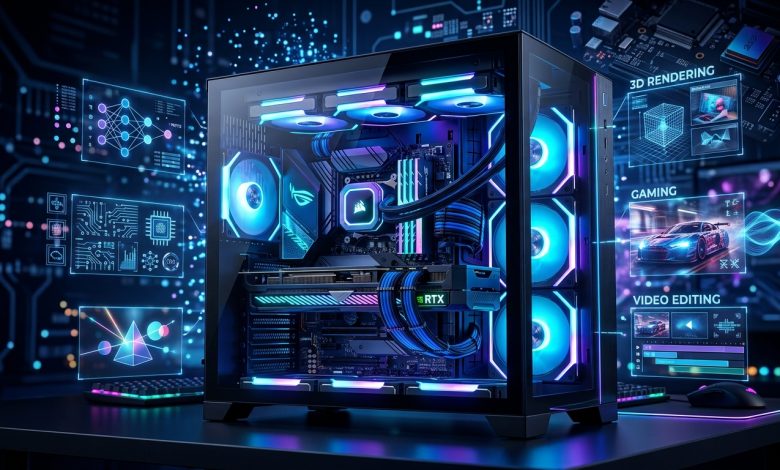
Table of Contents
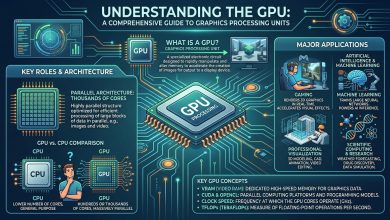
GPU in PC, or Graphics Processing Unit, has evolved from a specialized component for rendering visuals into a fundamental powerhouse driving virtually every aspect of modern computing. Originally designed to accelerate the rendering of 3D graphics, GPUs are now indispensable for a wide array of demanding applications beyond just gaming, including artificial intelligence (AI), machine learning (ML), video editing, and scientific simulations. Its unique architecture, optimized for parallel processing, allows it to perform numerous calculations simultaneously, a capability that sets it apart from the Central Processing Unit (CPU).
What is a GPU? Defining the Graphics Processing Unit
A GPU is an electronic circuit designed to perform mathematical calculations at high speed. While often referred to interchangeably with “graphics card” or “video card,” the GPU is actually the main component on a graphics card, which is an add-in board that slots into a computer’s motherboard. This card also includes other essential components such as Video RAM (VRAM) for memory, ports for display output (like HDMI or DisplayPort), and a cooling system.
The core function of a GPU is to process graphical data, including images, 3D graphics, and videos, allowing the CPU to focus on more general-purpose computing tasks. Its parallel processing design makes it exceptionally efficient at handling tasks that involve applying similar mathematical operations to large datasets. This design is crucial for rendering complex visual scenes, as it can process thousands of pixels and textures concurrently, translating into smoother animations and higher quality visuals on your monitor.
Integrated vs. Dedicated GPUs: Understanding the Core Differences
When considering a GPU for a PC, one of the primary distinctions to understand is between integrated and dedicated (or discrete) graphics. This choice significantly impacts a system’s performance, cost, and power consumption.
Integrated Graphics Processing Units (iGPUs)
Integrated GPUs (iGPUs) are built directly into the computer’s CPU or motherboard. They share power and system memory (RAM) with the CPU, meaning a portion of your computer’s main RAM is allocated for graphical tasks. Computers with integrated GPUs are typically more power-efficient, lighter, and smaller, making them common in laptops and budget-friendly desktop systems.
Historically, iGPUs were significantly less powerful than dedicated cards, suitable only for basic tasks like web browsing, word processing, and video playback. However, modern integrated graphics, especially those from Intel (like Intel Iris and Arc Graphics) and AMD’s APUs (Accelerated Processing Units), have improved considerably. They can now handle some modern games at lower settings and are more capable for light creative tasks and 4K video output.
- Pros: Cost-effective, lower power consumption, less heat generation, ideal for compact systems.
- Cons: Shares system memory, generally lower performance for demanding applications, not ideal for high-end gaming or professional content creation.
Dedicated Graphics Processing Units
Dedicated GPUs are separate hardware units, typically installed as an add-in board (graphics card) into a PCIe slot on the motherboard. These cards come with their own dedicated high-speed video memory (VRAM) and do not share system resources with the CPU.
Dedicated graphics cards are essential for visually intensive activities such as complex graphic design, video editing, 3D modeling, animation, and PC gaming. They offload graphical processing entirely from the CPU, resulting in significantly improved performance and smoother visuals. For immersive experiences like virtual reality, a high-performance dedicated GPU is crucial for reducing lag and creating seamless 3D worlds.
- Pros: Superior performance for demanding applications, dedicated VRAM, advanced cooling systems, generally better for ray tracing and AI-accelerated features.
- Cons: Higher cost, greater power consumption and heat output, larger physical size.
Key GPU Specifications Explained
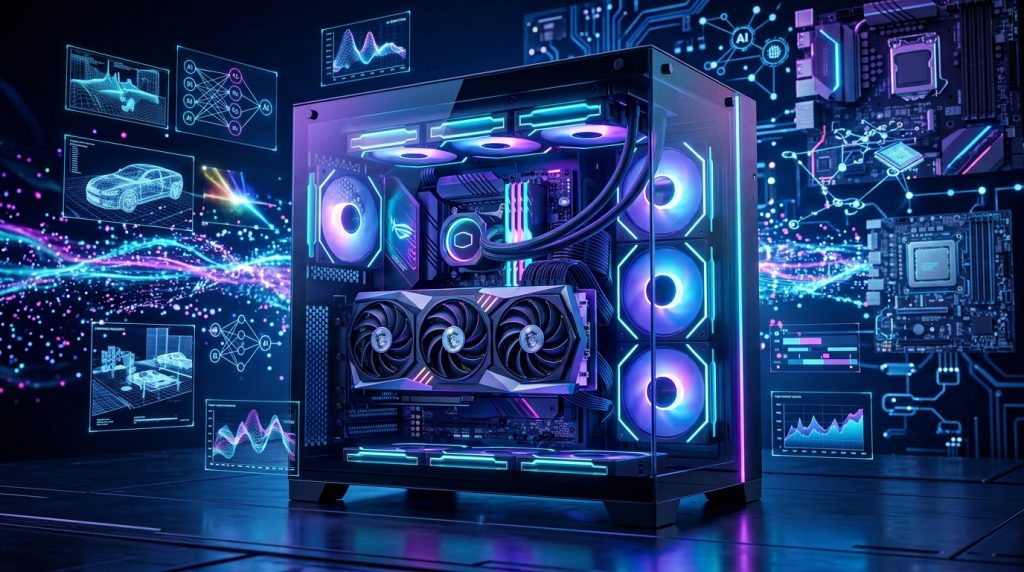
Understanding GPU specifications is vital for making an informed purchasing decision, as these metrics directly influence performance.
- GPU Architecture: This refers to the underlying design and structure of the graphics card, which dictates how its components are organized and function. Modern architectures are optimized for various tasks, offering advanced features like AI-based rendering and improved ray tracing capabilities.
- VRAM (Video RAM): VRAM is the dedicated memory on the graphics card where textures, shaders, frame buffers, and other graphical data are stored. More VRAM allows the GPU to handle larger files, more complex models, and higher resolutions with detailed textures without performance slowdowns or visual artifacts. Modern graphics cards often feature GDDR6, GDDR6X, or even newer GDDR7 memory, each generation offering faster data transfer speeds.
- Clock Speed (Core and Memory): The core clock speed, measured in MHz, indicates how quickly the GPU processes instructions and graphically intensive tasks. The memory clock speed determines how fast VRAM can send or receive data. Faster clock speeds generally lead to smoother experiences, though architecture and core count often have a greater impact on overall GPU performance than raw clock speed.
- CUDA Cores / Stream Processors: These are the parallel processing units within a GPU. NVIDIA GPUs use CUDA cores, while AMD GPUs utilize Stream Processors. GPUs are composed of thousands of these cores, arranged in clusters, enabling them to execute millions of instructions simultaneously. A higher core count generally translates to better raw rendering and gaming performance, as it allows for more parallelized computing. NVIDIA also features specialized Tensor Cores for AI/ML tasks and RT Cores for accelerated ray tracing.
- Memory Bus Width and Bandwidth: The memory bus width is the data pathway between the GPU and its VRAM. A wider bus allows for faster data transfer, which is crucial for complex, GPU-intensive tasks and higher resolutions. Memory bandwidth, measured in GB/s, quantifies how quickly data moves between the GPU and its VRAM. Higher bandwidth allows the graphics processor to access graphical assets more efficiently during rendering.
- TFLOPS (Teraflops): TFLOPS measure how many trillions of floating-point operations a GPU can perform per second. It’s a raw number indicating compute power; higher TFLOPS generally mean more processing capability. However, TFLOPS are most useful for comparing GPUs within the same architecture, as architectural design can significantly influence real-world performance.
- TDP (Thermal Design Power): This metric represents the maximum amount of heat generated by the GPU that the cooling system is designed to dissipate. A higher TDP indicates a more powerful card, but also one that requires robust cooling and a sufficient power supply.
- PCIe Version: Peripheral Component Interconnect Express (PCIe) is the connection interface between the GPU and the motherboard. Newer versions, such as PCIe 4.0 and 5.0, offer double the bandwidth of their predecessors, allowing for faster data flow. Most modern GPUs use PCIe 4.0, but supporting a newer version future-proofs the system.
Choosing the Right GPU for Different Applications
Selecting the optimal GPU depends heavily on your primary use case, as different applications leverage GPU capabilities in distinct ways.
Gaming
For gaming, the GPU is arguably the most critical component. It dictates the visual fidelity, resolution, and frame rates you can achieve. High-end gaming requires a powerful dedicated GPU with ample VRAM, high core counts, and support for features like ray tracing and AI upscaling technologies (e.g., NVIDIA’s DLSS or AMD’s FSR). These technologies utilize AI to enhance image quality and boost frame rates, making demanding games more playable. For 1440p gaming, 8GB to 12GB of VRAM is often considered the sweet spot, while 4K gaming benefits greatly from 12GB or more.
Professional Workstations (Content Creation, CAD)
Professionals in fields like 3D rendering, video editing, graphic design, and computer-aided design (CAD) rely on workstation GPUs to handle heavy workloads without overheating or slowing down. These GPUs offer features like ECC (Error-Correcting Code) memory for data integrity, certified drivers optimized for professional software (e.g., AutoCAD, Adobe, Blender), high precision, and enhanced memory for large datasets. NVIDIA’s RTX 6000 Ada Generation and RTX A6000 are examples of top-tier workstation GPUs for AI and 3D rendering, offering significant VRAM (up to 48GB in some cases) and specialized cores.
AI and Machine Learning
GPUs are the backbone of AI and machine learning due to their parallel processing capabilities, which are ideal for training neural networks and processing large volumes of data simultaneously. GPUs for AI are designed to boost system performance for demanding AI applications, offering benefits like accelerated computational performance, scalability, and high throughput. NVIDIA GPUs, particularly those with Tensor Cores, have dominated this space due to their optimized CUDA platform and comprehensive software ecosystem. AMD is also making strides with its ROCm platform. For training large language models (LLMs) in 2026, GPUs like the NVIDIA B200, H200, H100, and AMD MI300X are considered top choices, often featuring 80GB or more of high-bandwidth memory.
| Application Category | Typical GPU Requirements | Key Features to Look For | Example GPU Series (Current/Upcoming) |
|---|---|---|---|
| Basic Computing / Office Use | Integrated Graphics (iGPU) or Entry-Level Dedicated GPU | Low power consumption, multi-monitor support, affordability | Intel UHD Graphics, AMD Radeon Integrated, NVIDIA RTX 4060 (entry-level) |
| Mainstream Gaming (1080p/1440p) | Mid-range Dedicated GPU (8-12GB VRAM) | Good price-to-performance, decent core count, support for DLSS/FSR | NVIDIA GeForce RTX 4070 series, AMD Radeon RX 7800 XT series |
| High-End Gaming (4K/VR) | High-end Dedicated GPU (16GB+ VRAM) | Max performance, advanced ray tracing, high VRAM, strong cooling | NVIDIA GeForce RTX 5090 (upcoming), AMD Radeon RX 9900 XT (upcoming) |
| Content Creation / 3D Rendering | Workstation GPU or High-End Consumer GPU (12GB+ VRAM) | High VRAM, CUDA/Stream Processor count, ray tracing, certified drivers | NVIDIA RTX A5000/A6000, AMD Radeon PRO W7900, NVIDIA GeForce RTX 4090 |
| AI / Machine Learning | Specialized AI GPU or High-End Workstation GPU (80GB+ HBM) | High Tensor/AI core count, massive VRAM (HBM), strong software ecosystem (CUDA/ROCm) | NVIDIA B200, H200, H100, AMD MI300X |
Major GPU Manufacturers: Nvidia, AMD, and Intel
The GPU market is primarily dominated by two long-standing players, NVIDIA and AMD, with Intel making significant inroads in recent years, particularly in integrated graphics and with its dedicated Arc series.
NVIDIA
NVIDIA is widely recognized for its high-end performance, advanced ray tracing capabilities, and AI-accelerated features like DLSS (Deep Learning Super Sampling). Their proprietary CUDA platform provides an extensive ecosystem of optimized libraries for nearly every major AI framework, such as PyTorch and TensorFlow, making NVIDIA GPUs the industry standard for deep learning efficiency. While NVIDIA GPUs often come at a premium price, they typically lead in raw performance and cutting-edge features.
AMD
AMD generally offers excellent value and competitive performance, particularly in the mid-range market. Their RDNA architecture focuses on high-efficiency rasterization and has made significant improvements in ray tracing with its third-generation capabilities. AMD also provides its open-source ROCm platform, aiming to be a strong competitor to NVIDIA’s CUDA for machine learning workloads. While NVIDIA often maintains a lead in high-end ray tracing, AMD’s FSR (FidelityFX Super Resolution) offers AI-powered upscaling that is widely compatible.
Intel
Intel has traditionally focused on integrated graphics, with its UHD and Iris Xe series offering capable performance for everyday tasks and light gaming. More recently, Intel has entered the dedicated GPU market with its Arc series. While still evolving, Intel Arc GPUs are designed to offer competitive performance and value, especially for affordable multi-monitor setups and entry-to-mid-range gaming. Intel is also actively developing its OneAPI software stack to support AI and parallel computing tasks.
Installing and Maintaining Your GPU
Upgrading or installing a new GPU is one of the most impactful upgrades for a PC, especially for improving gaming or editing performance.
Installation Process
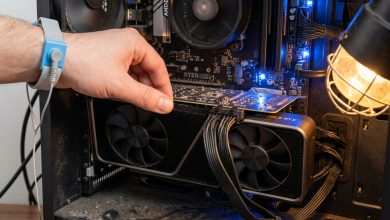
Before installing a new graphics card, it’s crucial to prepare your PC. This involves unplugging the power supply, removing side panels, and grounding yourself to eliminate static electricity. You’ll also need to check three key aspects: your power supply unit (PSU) wattage and available PCIe power connectors, the physical dimensions of the new GPU to ensure it fits within your PC case, and compatibility with your motherboard’s PCIe slot.
The installation typically involves:
- Removing any existing graphics card by unscrewing it from the expansion slot and disengaging the PCIe slot clip.
- Aligning the new graphics card’s gold fingers with the motherboard’s PCIe slot and inserting it vertically until a click is heard, indicating the slot latch has engaged.
- Connecting the necessary PCIe power cables from your PSU to the GPU.
- Securing the GPU with screws to the chassis.
- After hardware installation, the final step is to install the latest drivers for your new GPU, which can be downloaded from the manufacturer’s official website (NVIDIA, AMD, or Intel).
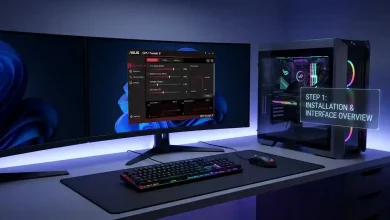
For a detailed visual guide on GPU installation, reputable sources like YouTube provide step-by-step tutorials, such as those from ASUS.
Maintenance Tips
Proper maintenance ensures the longevity and optimal performance of your GPU:
- Keep Drivers Updated: Regularly update your GPU drivers to benefit from performance optimizations, bug fixes, and compatibility with new games and applications.
- Monitor Temperatures: High temperatures can degrade performance and shorten component lifespan. Use monitoring software to keep an eye on your GPU’s temperature, especially during heavy loads.
- Clean Regularly: Dust accumulation can impede cooling. Periodically clean your GPU’s heatsink and fans with compressed air to maintain efficient heat dissipation.
- Ensure Adequate Airflow: Make sure your PC case has good airflow with properly configured intake and exhaust fans to prevent heat buildup.
- Check Power Connections: Ensure all power cables to the GPU are securely connected, as loose connections can cause instability or power delivery issues.
The Future of GPU Technology
The trajectory of GPU technology points towards even greater processing power, enhanced AI capabilities, and increased energy efficiency.
- Enhanced AI Capabilities: GPUs will increasingly integrate built-in AI capabilities, with advancements in real-time inference, neural network acceleration, and automated hyperparameter tuning. Dedicated AI circuitry and specialized Tensor Cores will become more prevalent, optimizing GPUs specifically for AI and machine learning tasks.
- Increased Processing Power and Efficiency: Future GPUs are expected to feature more cores, higher clock speeds, and enhanced parallel processing. Innovations in chip design, such as 3D stacking and smaller nanometer technology, will contribute to this power increase. Concurrently, energy efficiency will be a major focus, with novel cooling solutions, including liquid cooling, and more efficient power management systems becoming standard to reduce energy consumption and operational costs.
- Heterogeneous Computing and Integration: The shift towards heterogeneous computing models, integrating different types of processors within a single system, is set to accelerate. Future GPUs will feature more processing cores on a single chip, allowing for more efficient task allocation, crucial for high-performance computing and autonomous systems.
- Real-time Ray Tracing and Immersive Technologies: Real-time ray tracing will continue to be refined and become more accessible, delivering hyper-realistic graphics not just in gaming and cinema but also in virtual reality (VR) and augmented reality (AR) applications, redefining user experiences. Integration with technologies like holography could further enhance the depth and interactivity of digital content.
- Ubiquity in Smart Devices and Edge Computing: GPUs are expected to become ubiquitous in a wider range of smart devices, from smartphones to smart appliances, enhancing overall device intelligence and processing data generated by IoT devices more efficiently. The expansion of edge computing will also see GPUs playing a critical role in processing data closer to its source.
- Blockchain and Decentralized Computing: GPUs are already fundamental to cryptocurrency mining. As blockchain applications expand into areas like decentralized finance (DeFi) and supply chain, demand for high-powered GPUs optimized for these technologies is expected to surge, potentially leading to faster transaction verifications and enhanced security.
- GPU as a Service (GPUaaS): The growing demand for serverless computing and on-demand access to powerful GPUs through cloud services is transforming how organizations approach high-performance computing. GPUaaS will become a mainstream offering, critical for innovation across AI, data science, machine learning, and computer graphics, especially with the proliferation of 5G networks enabling remote rendering and real-time GPU-dependent applications.
As computational demands continue to rise, GPUs will keep evolving, delivering more powerful and cost-effective solutions to meet the needs of a technologically advancing world. To delve deeper into the transformative impact of AI on society and technology, you can refer to insights from Wikipedia’s comprehensive article on Artificial Intelligence.
Conclusion
The GPU in a PC is no longer just a component for displaying images; it is a vital accelerator that has fundamentally reshaped personal computing and professional industries alike. From rendering breathtaking virtual worlds in games to powering the complex calculations of artificial intelligence and machine learning, its parallel processing architecture makes it indispensable. Understanding the nuances between integrated and dedicated GPUs, deciphering key specifications, and choosing the right card for your specific applications are crucial steps for anyone looking to optimize their PC’s performance. As technology continues to advance, the GPU will remain at the forefront of innovation, promising even more powerful and efficient solutions that will continue to drive the future of computing.