7 Best GPU Computer Builds for Gaming & Productivity in 2026
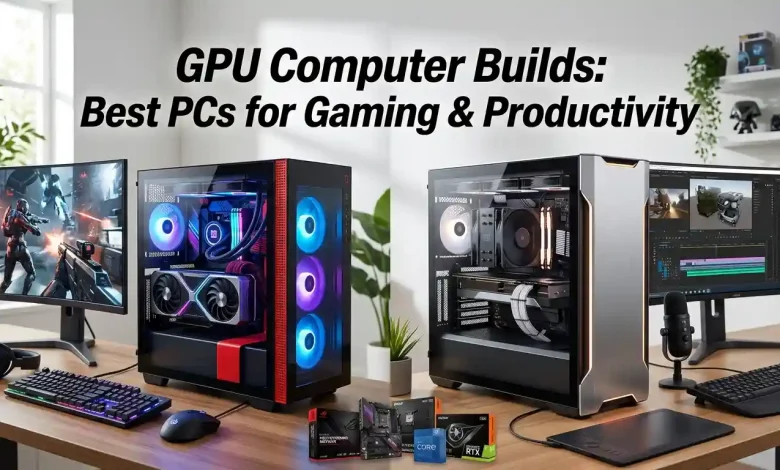
Table of Contents
GPU Computer Builds are at the heart of modern computing, serving as the backbone for everything from immersive gaming experiences to demanding professional applications. A powerful Graphics Processing Unit (GPU) is no longer just an optional upgrade; it’s a fundamental component that dictates performance in tasks ranging from high-fidelity gaming and virtual reality to complex data analysis, 3D rendering, and video editing. Building a PC tailored around a capable GPU ensures that users can push the boundaries of visual computing and computational power, unlocking new levels of efficiency and entertainment. This comprehensive guide will delve into the intricacies of selecting and integrating the best GPUs and supporting hardware to create optimal systems for both avid gamers and productivity-focused professionals, highlighting the critical factors that differentiate a good build from an exceptional one.
Understanding the Core of GPU Computer Builds: What is a GPU?
At its core, a GPU, or Graphics Processing Unit, is a specialized electronic circuit designed to rapidly manipulate and alter memory to accelerate the creation of images, frames, or visuals intended for display on an output device. Unlike a CPU (Central Processing Unit), which is optimized for sequential processing and managing a wide range of general tasks, a GPU is designed for parallel processing, meaning it can handle many calculations simultaneously. This architecture makes GPUs exceptionally efficient at rendering graphics, performing complex mathematical operations, and accelerating tasks that benefit from massive parallelism, such as machine learning and scientific simulations. The evolution of GPUs has transformed them from mere display adapters into powerful parallel processors, enabling breakthroughs in artificial intelligence, scientific research, and, of course, the realism and complexity of video games. Understanding this fundamental difference is crucial when planning any GPU computer build, as it helps in prioritizing components based on the intended primary use case. The market is predominantly divided between NVIDIA’s GeForce and professional Quadro/RTX series and AMD’s Radeon and Radeon Pro series, each offering distinct advantages depending on the workload.
Key Considerations for Gaming GPU Builds
For gamers, the GPU is unequivocally the most critical component of a PC build. It directly impacts frame rates, resolution capabilities, and the overall visual fidelity of games. A gaming GPU build aims to maximize performance in interactive 3D environments, ensuring smooth gameplay even at high settings and resolutions. This means balancing raw processing power with efficient cooling and a robust power delivery system.
Choosing the Right GPU for Gaming
When selecting a GPU for gaming, several factors come into play: resolution, refresh rate, and the types of games you plan to play. For 1080p gaming at high refresh rates, mid-range GPUs like the NVIDIA GeForce RTX 4060 or AMD Radeon RX 7600 are often sufficient, offering excellent performance without breaking the bank. Moving up to 1440p gaming demands more power, with GPUs such as the NVIDIA GeForce RTX 4070 SUPER or AMD Radeon RX 7800 XT becoming ideal choices, capable of delivering high frame rates in most modern titles. For the ultimate 4K gaming experience, top-tier cards like the NVIDIA GeForce RTX 4080 SUPER, RTX 4090, or the AMD Radeon RX 7900 XTX are necessary to maintain playable frame rates at ultra settings. Ray tracing capabilities are also a significant consideration, as NVIDIA’s RTX series generally offers superior ray tracing performance, which can dramatically enhance visual realism in supported games. AMD’s FSR (FidelityFX Super Resolution) and NVIDIA’s DLSS (Deep Learning Super Sampling) technologies are also crucial for boosting performance at higher resolutions by intelligently upscaling lower-resolution images, making demanding games more accessible on a wider range of hardware.
CPU, RAM, and Storage for Gaming Rigs
While the GPU is paramount, a balanced gaming PC requires a capable CPU, sufficient RAM, and fast storage. For gaming, a CPU with strong single-core performance is often more beneficial than one with a high core count, although modern games are increasingly utilizing more cores. Processors like the Intel Core i5-14600K or AMD Ryzen 7 7800X3D are excellent choices, offering a great balance of gaming performance and value.
RAM requirements for gaming typically start at 16GB, but 32GB is becoming the recommended standard for future-proofing, especially for demanding titles or multitasking while gaming. DDR4-3200MHz or DDR5-6000MHz (and higher) with low latencies are generally preferred for optimal gaming performance.
For storage, a fast NVMe SSD is essential for quick game loading times and overall system responsiveness. A 1TB or 2TB NVMe SSD for your operating system and primary games is highly recommended, complemented by a larger SATA SSD or HDD for additional storage if needed.
Power Supply and Cooling for Gaming
High-performance GPUs consume significant power and generate considerable heat. Therefore, a reliable power supply unit (PSU) with ample wattage and appropriate 80 PLUS efficiency rating (Bronze, Gold, Platinum) is crucial. It’s wise to select a PSU that provides at least 150-200W more than the estimated peak system consumption to allow for future upgrades and stable operation. For cooling, air coolers from brands like Noctua or be quiet! are effective for most CPUs, but for high-end processors or overclocking, an All-in-One (AIO) liquid cooler is often preferred. Case airflow is also vital; ensure your chosen PC case has good ventilation and space for multiple fans to dissipate heat efficiently, especially from the GPU itself. Proper cable management can also contribute to better airflow within the case.
Key Considerations for Productivity GPU Builds
For professionals, a GPU computer build is an investment in efficiency and capability, directly impacting render times, simulation speeds, and the smoothness of complex software workflows. Unlike gaming, productivity builds often prioritize raw computational power, VRAM capacity, and specific driver optimizations for professional applications.
Selecting a GPU for Professional Workloads
The choice of GPU for productivity heavily depends on the specific applications being used. For tasks like video editing, graphic design, and 3D modeling, GPUs with higher VRAM (Video RAM) are often more beneficial than those optimized purely for gaming frame rates. NVIDIA’s GeForce RTX 4070 SUPER and above, and AMD’s Radeon RX 7900 XT and XTX, offer significant VRAM (12GB to 24GB) which is crucial for handling large textures, complex scenes, and multi-layered projects.
For highly specialized tasks such as machine learning, AI development, scientific simulations, or professional-grade rendering, NVIDIA’s professional Quadro or RTX series (like the RTX 6000 Ada Generation) or AMD’s Radeon Pro series (e.g., Radeon Pro W7900) are often preferred. These cards come with certified drivers, enhanced stability, and often offer specific hardware accelerators (like Tensor Cores in NVIDIA’s RTX cards) that are optimized for AI and complex computational tasks. VRAM capacity is paramount here, with professional cards offering upwards of 48GB or more. The performance disparity between consumer and professional GPUs in specific productivity benchmarks can be substantial, justifying the higher cost for professionals who rely on these tools daily. For example, in professional rendering engines like Blender, OctaneRender, or V-Ray, NVIDIA GPUs often show a strong lead due to their CUDA architecture and dedicated RT/Tensor cores.
CPU, RAM, and Storage for Productivity Powerhouses
In productivity builds, the CPU often plays an equally critical role as the GPU, especially in multi-threaded applications like video encoding, 3D rendering, and compiling code. CPUs with high core counts and strong multi-core performance, such as the Intel Core i7/i9 series (e.g., i9-14900K) or AMD Ryzen 9 series (e.g., Ryzen 9 7950X3D), are ideal.
RAM requirements are typically higher for productivity. 32GB of DDR4 or DDR5 RAM is a good starting point, with 64GB or even 128GB being common for users working with large datasets, complex simulations, or high-resolution video. Fast RAM speeds and low latencies remain important.
Storage speed is paramount for productivity to reduce load and save times for large files and projects. Multiple NVMe SSDs are highly recommended: one for the OS and applications, and another dedicated to active projects to maximize read/write speeds. RAID configurations can further enhance performance or provide data redundancy, depending on needs.
Optimizing for Specific Productivity Tasks
Optimization is key in productivity builds. For video editors, prioritize GPUs with dedicated video encoders/decoders (like NVIDIA’s NVENC or AMD’s AMF) and high VRAM. For 3D artists, VRAM, GPU rendering performance, and CPU multi-core performance are all crucial. Machine learning professionals will focus on GPUs with strong FP32/FP64 performance and ample VRAM, often leaning towards NVIDIA’s offerings due to the robust CUDA ecosystem. It’s also worth researching whether specific software you use prefers NVIDIA (CUDA) or AMD (OpenCL/ROCm) for GPU acceleration, as this can significantly influence your hardware choices. For instance, many AI/ML frameworks are heavily optimized for CUDA, making NVIDIA GPUs the de facto standard in that field. More information on the importance of GPU architecture and software optimization can be found on reputable tech sites, such as Wikipedia’s entry on Graphics Processing Units.
| Component | Gaming PC Recommendation | Productivity PC Recommendation | Key Benefit |
|---|---|---|---|
| GPU | NVIDIA RTX 4070 SUPER / AMD RX 7800 XT (1440p) NVIDIA RTX 4090 / AMD RX 7900 XTX (4K) | NVIDIA RTX 4080 SUPER / AMD RX 7900 XTX (High-end consumer) NVIDIA RTX 6000 Ada / AMD Radeon Pro W7900 (Professional) | Visual fidelity, frame rates (Gaming); Render times, computational speed, VRAM (Productivity) |
| CPU | Intel Core i5-14600K / AMD Ryzen 7 7800X3D | Intel Core i9-14900K / AMD Ryzen 9 7950X3D | Single-core performance (Gaming); Multi-core performance (Productivity) |
| RAM | 16GB – 32GB DDR4-3200MHz / DDR5-6000MHz | 32GB – 128GB DDR4/DDR5 (High speed, low latency) | Smooth gameplay, multitasking (Gaming); Handling large datasets, complex projects (Productivity) |
| Storage | 1TB – 2TB NVMe SSD (Primary) + SATA SSD/HDD (Secondary) | Multiple NVMe SSDs (OS, projects), potentially RAID for performance/redundancy | Fast game loads (Gaming); Quick project load/save, application responsiveness (Productivity) |
| PSU | 750W – 850W 80+ Gold (minimum) | 850W – 1200W+ 80+ Gold/Platinum | Stable power delivery, future-proofing |
| Cooling | High-performance Air Cooler / 240mm-360mm AIO Liquid Cooler | 360mm+ AIO Liquid Cooler / Custom Water Cooling | Temperature management, sustained performance |
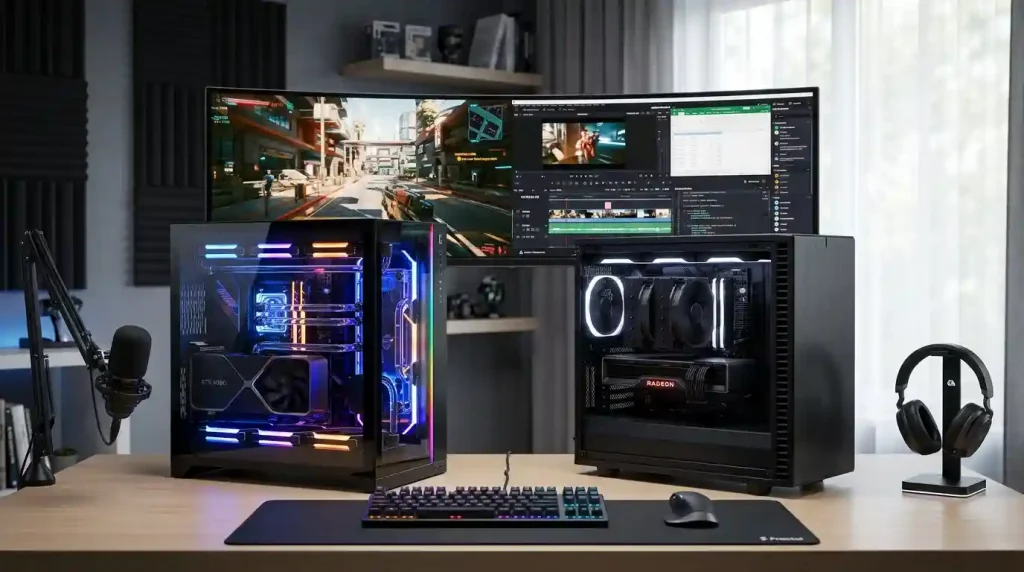
The Synergistic Relationship: Components Beyond the GPU
While the GPU often takes center stage, a high-performance computer is the result of a harmonious interplay between all its components. The motherboard acts as the nervous system, connecting all parts and facilitating communication. A quality motherboard with robust VRMs (Voltage Regulator Modules) is essential for stable power delivery to the CPU, especially when overclocking. Features like PCIe 5.0 support ensure that the latest GPUs and NVMe SSDs can operate at their full potential, while ample USB ports and network connectivity (2.5GbE or Wi-Fi 6E) enhance overall user experience. Choosing a motherboard that matches your CPU socket (e.g., LGA 1700 for Intel, AM5 for AMD) and supports your desired RAM type (DDR4 or DDR5) is fundamental.
The PC case, often overlooked, plays a critical role in cooling and acoustics. A case with good airflow design, sufficient fan mounts, and dust filters helps maintain optimal temperatures and prolong component lifespan. Aesthetic considerations are secondary to functionality for performance builds. Monitor choice is also paramount; a high refresh rate (144Hz+) monitor with low response times (1ms) is ideal for gaming, while a high-resolution (4K) monitor with excellent color accuracy (e.g., IPS panel) is preferred for productivity tasks like graphic design or video editing. Ultimately, every component must be chosen with an eye towards supporting the GPU and CPU to achieve the desired performance goals, ensuring there are no bottlenecks that limit the overall system’s capability.
Future-Proofing Your GPU Computer Build
Building a PC is a significant investment, and future-proofing is about making choices today that extend the system’s viability into tomorrow. This involves selecting components that aren’t just powerful for current demands but also offer room for growth and compatibility with emerging technologies. Opting for a motherboard with the latest PCIe generation (PCIe 5.0) ensures compatibility with next-generation GPUs and NVMe SSDs. Choosing a CPU platform that supports multiple generations of processors (like AMD’s AM5 socket, which is expected to support future Ryzen CPUs) can allow for easier CPU upgrades down the line.
Investing in a high-wattage, reputable 80 PLUS Gold or Platinum rated PSU provides sufficient headroom for future GPU upgrades, which tend to draw more power with each generation. Additionally, selecting a case with excellent airflow and expandability (more drive bays, fan mounts) will accommodate larger components and better cooling solutions as technology evolves. While it’s impossible to completely future-proof a PC given the rapid pace of technological advancement, these strategic choices can significantly prolong the system’s competitive lifespan, ensuring your GPU computer build remains relevant for years to come without requiring a complete overhaul.
Conclusion
GPU Computer Builds are dynamic and highly customizable systems, designed to cater to the exacting demands of both high-performance gaming and intensive professional workloads. The journey of building such a PC involves a careful balance of understanding component synergy, prioritizing based on primary use, and making informed decisions to ensure longevity and optimal performance. Whether you’re chasing the highest frame rates in the latest AAA titles or rendering complex 3D animations, the right GPU, supported by a powerful CPU, ample RAM, and fast storage, forms the bedrock of an exceptional computing experience. By meticulously planning each component and considering future upgrade paths, users can create a GPU-centric powerhouse that not only meets their current needs but also stands ready for the technological advancements of tomorrow, delivering unparalleled performance and unlocking creative and gaming potential.
The rapid evolution of GPU technology means that staying informed about the latest releases and benchmarks is crucial. Both NVIDIA and AMD continue to innovate, pushing the boundaries of what’s possible in visual computing. Understanding these trends and how they impact specific applications or games will empower you to make the most intelligent choices for your next GPU computer build, ensuring you get the best possible return on your investment in speed, efficiency, and immersive experiences.