GPU PC Builds for High-End Gaming and Streaming: The Ultimate Guide – 10 Powerful Setup Ideas
Table of Contents
GPU PC Builds for high-end gaming and streaming represent the pinnacle of desktop computing, offering unparalleled visual fidelity and smooth performance even under the most demanding workloads. In today’s dynamic digital landscape, where immersive gaming experiences and seamless live broadcasts are paramount, understanding the intricate balance of components that make up such a system is crucial. Whether you’re aiming to conquer the latest AAA titles at ultra-high resolutions or broadcast your gameplay to a global audience with crystal-clear quality, a meticulously planned PC build centered around a powerful Graphics Processing Unit (GPU) is your gateway to achieving these aspirations. This comprehensive guide will delve into every critical aspect of constructing an elite gaming and streaming machine, from selecting the right graphics card and processor to optimizing cooling and storage solutions.
Introduction: The Demand for High-Performance GPU PC Builds
The convergence of advanced gaming graphics and the booming live-streaming industry has created an unprecedented demand for high-performance PC builds. Modern games push the boundaries of realism with features like ray tracing and complex physics, requiring immense graphical horsepower to render stunning visuals at high frame rates. Simultaneously, streamers need their systems to not only run these games flawlessly but also encode and transmit high-quality video in real-time without compromising in-game performance. This dual workload necessitates a robust selection of components, with the GPU often taking center stage due to its direct impact on both gaming visuals and hardware-accelerated encoding. A well-optimized high-end PC ensures that neither your gaming experience nor your stream quality suffers, providing an exceptional experience for both the player and the viewer.
GPU: The Heart of Your High-End Rig
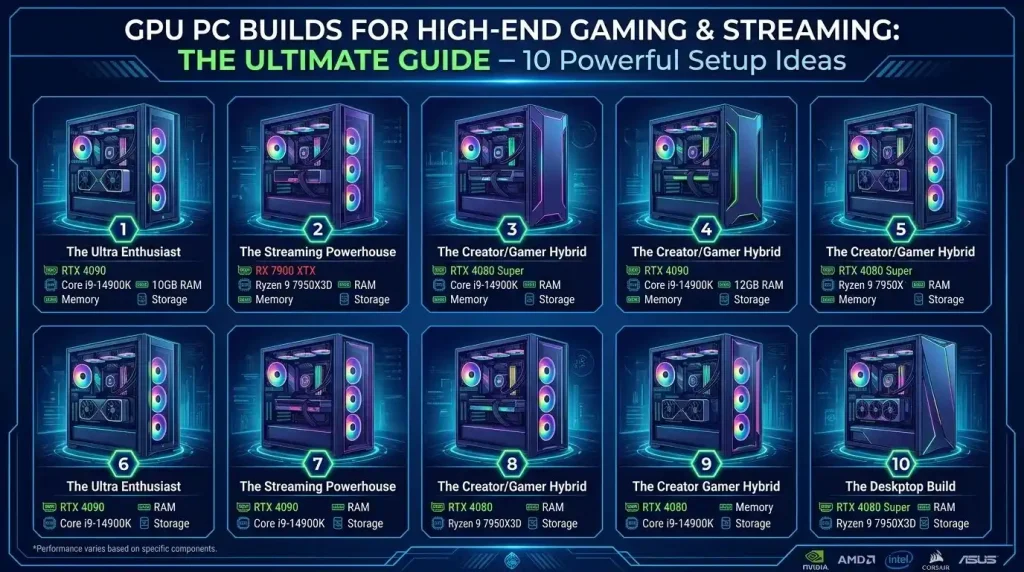
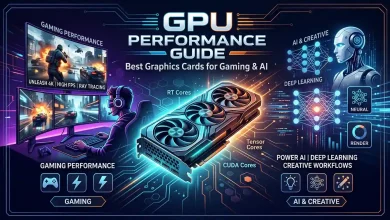
The Graphics Processing Unit (GPU) is undeniably the most critical component for any high-end gaming and streaming PC. It handles the rendering of complex visual data, and modern GPUs also feature dedicated hardware encoders vital for live streaming. For enthusiasts targeting 4K gaming or high-refresh-rate 1440p gaming while simultaneously streaming, the latest generation of GPUs from NVIDIA and AMD are essential.
- NVIDIA GeForce RTX 40 & 50 Series: NVIDIA’s RTX 40 Series, based on the Ada Lovelace architecture, and the anticipated RTX 50 Series (Blackwell architecture) are designed for extreme performance in gaming, streaming, and content creation. Cards like the RTX 4090, RTX 4080 Super, and the upcoming RTX 5090 and RTX 5080 offer exceptional raw power, advanced ray tracing capabilities, and AI-accelerated features like DLSS (Deep Learning Super Sampling) which significantly boost frame rates without sacrificing image quality. The RTX 5090, for instance, is projected to deliver unmatched 4K frame rates with ray tracing fully enabled, often exceeding 150 FPS in demanding AAA titles.
- AMD Radeon RX 7000 & 9000 Series: AMD’s Radeon RX 7000 Series, powered by RDNA 3 architecture, and the upcoming RX 9000 Series (RDNA 4) also offer compelling options for high-end builds. GPUs like the RX 7900 XTX and the anticipated RX 9070 XT are engineered for immersive 4K gaming and efficient streaming, boasting features such as advanced ray tracing, AI accelerators, and AMD FidelityFX Super Resolution (FSR) technology. AMD’s RX 9070 XT is often cited as offering excellent price-to-performance in the high-end segment.
When choosing a high-end GPU, consider the resolution you aim to play and stream at, your budget, and the specific features important to you, such as ray tracing performance or AI upscaling technologies (DLSS for NVIDIA, FSR for AMD).
CPU: The Brains Behind the Broadcast
While the GPU handles graphics, the Central Processing Unit (CPU) is the brain that manages game logic, physics, operating system processes, and critically, stream encoding. For a combined gaming and streaming PC, a powerful multi-core CPU is non-negotiable to prevent bottlenecks and ensure smooth multitasking.
- Core Count and Clock Speed: Modern games and high-resolution streams demand strong, multi-threaded processors. CPUs with at least eight cores and sixteen threads are recommended for professional-grade multitasking. Processors with high clock speeds (4.0 GHz and above) ensure faster task completion, leading to better gaming performance and smoother encoding.
- Top Choices: High-end AMD Ryzen 7/9 series processors (e.g., Ryzen 7 9800X3D, Ryzen 9 9950X3D) and Intel Core i7/i9 series processors (e.g., Core i7-14700K, Core i9-14900K) are ideal. These CPUs offer the high core counts and clock speeds necessary to handle simultaneous gameplay and stream encoding effectively.
A robust CPU ensures that background applications like streaming software (OBS), chat clients, and web browsers run without impacting your game’s frame rate, providing a consistent experience for your viewers.
RAM: Multitasking Mastery for Gamers and Streamers
Random Access Memory (RAM) is crucial for a smooth and responsive system, especially when juggling demanding applications like a high-end game, streaming software, and multiple browser tabs.
- Capacity: While 16GB of RAM is considered the minimum for modern gaming, 32GB has become the sweet spot for a high-performance gaming and streaming PC. This provides ample headroom for running the game, streaming software, Discord, and other background applications without hitting a memory wall. For enthusiasts or those engaged in heavy content creation (e.g., video editing), 64GB or more isn’t overkill.
- Speed and Type: For DDR4 systems, a speed of 3200 MT/s (or MHz) is a reliable standard. However, for newer platforms supporting DDR5 memory, particularly with AMD Ryzen 7000/9000 series or Intel’s 12th/13th/14th Gen processors, DDR5 at 6000 MT/s (or MHz) or higher is optimal for gaming performance and quick data access. Faster RAM ensures your system can handle high-resolution textures and complex game environments more efficiently.
Storage: Speed and Capacity for Seamless Experiences
Fast storage is paramount for quick boot times, rapid game loading, and seamless recording of high-bitrate streams.
- NVMe SSDs: Non-Volatile Memory Express (NVMe) Solid State Drives (SSDs) are the top choice for high-end builds. They utilize the PCIe interface, offering significantly faster read and write speeds compared to traditional SATA SSDs, with high-end NVMe drives capable of around 7,000MB/s.
- Configuration: A common and highly effective setup involves a primary NVMe SSD (1TB or 2TB) for the operating system, essential applications, and frequently played games. For larger game libraries and storing recorded footage, additional NVMe SSDs or a larger capacity SATA SSD can be added. While HDDs can still be used for archival storage, their slower speeds make them unsuitable for actively played games or recording high-quality streams. Ensure your motherboard supports PCIe 4.0 or higher to fully leverage the speeds of modern NVMe SSDs.
Power Supply and Cooling: Stability and Longevity
The unsung heroes of any high-performance PC are the Power Supply Unit (PSU) and the cooling system. Skimping on these can lead to instability, thermal throttling, and even damage to expensive components.
Power Supply Unit (PSU):
- Wattage: High-end CPUs and GPUs draw significant power, especially under load. For a single high-end GPU build, a quality PSU in the 850W to 1000W range is recommended. For top-tier flagship cards like an RTX 4090 or RTX 5090, or if planning for future upgrades/overclocking, a 1000W to 1200W+ PSU is a wise investment, with options up to 1500W available for multi-GPU or extreme configurations.
- Efficiency and Connectors: Look for PSUs with an 80 Plus Gold or Platinum efficiency rating for better energy efficiency and reduced heat. Modern high-end GPUs, particularly NVIDIA’s RTX 40 and 50 series, often require specific 12VHPWR or newer 12V-2×6 connectors; ensure your chosen PSU has these or compatible adapters. A fully modular PSU is also recommended for cleaner cable management.
Cooling Solutions:
Powerful components generate substantial heat, which, if not properly managed, can lead to thermal throttling—where components automatically slow down to prevent damage—resulting in decreased performance and a less enjoyable experience.
High-performance cooling solutions are therefore essential:
- Air Cooling: High-end air coolers use large heatsinks and multiple fans to dissipate heat from the CPU and can handle the thermal demands of many overclocked CPUs. They are generally affordable and easy to install.
- Liquid Cooling (AIO & Custom Loops): All-in-One (AIO) liquid coolers are popular for their excellent cooling performance, especially for high-end CPUs, and are relatively easy to install. For the absolute best cooling performance, particularly for heavily overclocked CPUs and GPUs, custom water cooling loops offer superior heat dissipation but are more complex and expensive. These systems ensure components stay within optimal temperature ranges, maximizing performance and longevity. For further information on CPU cooling, you might consult a comprehensive guide on CPU cooling solutions.
Example High-End Gaming and Streaming PC Builds
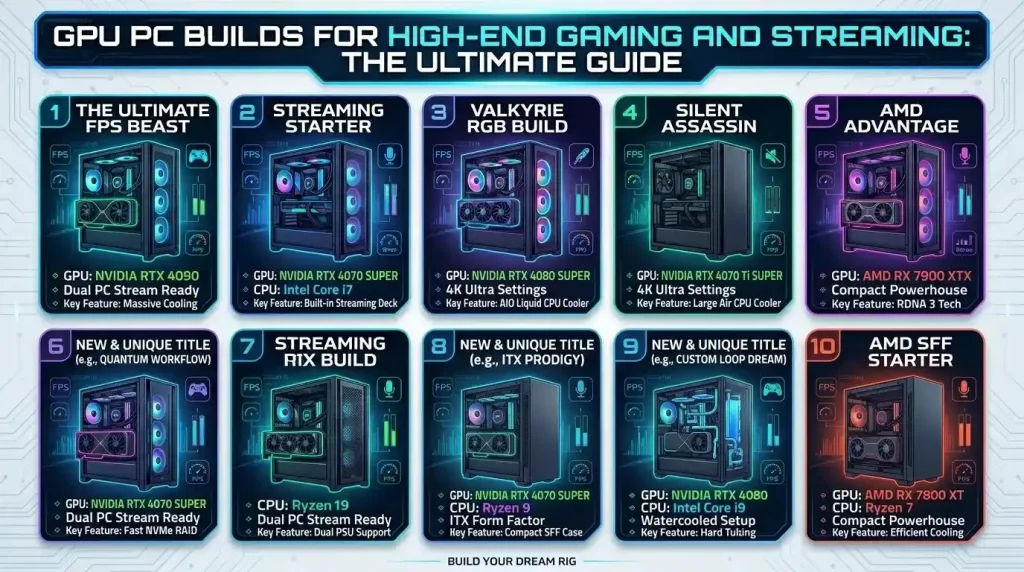
To illustrate how these components come together, here are a few example high-end PC builds tailored for different levels of gaming and streaming intensity. These are illustrative and specific models may vary based on market availability and price fluctuations.
| Component | Enthusiast 4K Gaming & Pro Streaming | High-Performance 1440p/4K & Dedicated Streaming | Premium 1440p/Entry 4K & Quality Streaming |
|---|---|---|---|
| CPU | Intel Core i9-14900K / AMD Ryzen 9 7950X3D | Intel Core i7-14700K / AMD Ryzen 7 9800X3D | Intel Core i7-13700F / AMD Ryzen 7 7700X |
| GPU | NVIDIA RTX 5090 (or RTX 4090) | NVIDIA RTX 5080 (or RTX 4080 Super) / AMD RX 9070 XT | NVIDIA RTX 5070 Ti (or RTX 4070 Super) / AMD RX 9060 XT |
| Motherboard | Z790 / X670E (High-end with ample VRMs) | Z790 / B650E (Mid-to-High range) | B760 / B650 (Solid feature set) |
| RAM | 64GB DDR5 @ 6000MHz+ | 32GB DDR5 @ 6000MHz+ | 32GB DDR4 @ 3200MHz / DDR5 @ 5200MHz+ |
| Storage (Primary) | 2TB NVMe PCIe Gen5 SSD | 1-2TB NVMe PCIe Gen4 SSD | 1TB NVMe PCIe Gen4 SSD |
| Power Supply | 1200W – 1500W 80+ Platinum/Titanium ATX 3.1 | 1000W 80+ Gold/Platinum ATX 3.1 | 850W 80+ Gold ATX 3.0/3.1 |
| CPU Cooler | 360mm/420mm AIO Liquid Cooler / Custom Loop | 240mm/280mm/360mm AIO Liquid Cooler | High-end Air Cooler / 240mm AIO Liquid Cooler |
| Case | Full Tower / E-ATX Compatible with excellent airflow | Mid Tower with good airflow and radiator support | Mid Tower with solid airflow |
| Monitor (Recommended) | 4K 144Hz+ G-Sync/FreeSync Premium Pro | 1440p 165Hz+ G-Sync/FreeSync Premium | 1440p 144Hz+ FreeSync/G-Sync Compatible |
Optimizing for Streaming: Encoders and Features
Beyond raw gaming power, a high-end streaming PC requires careful consideration of encoding technologies and software features to deliver a professional broadcast.
- Hardware Encoders (NVENC vs. AMF): Modern GPUs include dedicated hardware encoders that offload the video encoding task from the CPU, significantly reducing performance impact on games.
- NVIDIA NVENC: NVIDIA’s 8th generation NVENC encoder, found in RTX 40 Series and newer GPUs, is widely regarded as the industry leader for single-PC streaming. It offers excellent visual quality at lower bitrates and supports AV1 encoding, which is more efficient than the older H.264 standard, allowing for stunning quality at much lower bitrates. NVIDIA’s ecosystem also includes features like NVIDIA Broadcast for AI-enhanced voice and video.
- AMD AMF: AMD’s Advanced Media Framework (AMF) encoder has seen significant improvements, especially with RDNA 3 architecture (RX 7000 Series and newer). The latest AMD GPUs also support AV1 encoding and are optimized for streaming software like OBS. While historical comparisons sometimes favored NVENC, modern AMD encoders are now visually indistinguishable from NVIDIA’s in quality, particularly with the 9000 series cards.
- Software Optimizations: Both NVIDIA and AMD offer software suites that enhance streaming. NVIDIA Broadcast provides AI-powered noise removal, virtual backgrounds, and other effects, while AMD Software: Adrenalin Edition includes performance-boosting features. Leveraging these tools can significantly improve your stream’s production quality.
- Display Technology: Consider your monitor’s capabilities. A high-refresh-rate monitor with adaptive sync technology (NVIDIA G-Sync or AMD FreeSync) will provide a smoother gaming experience, which translates to a smoother-looking stream. For an in-depth understanding of how display technology can enhance your gaming experience, refer to resources like this gaming monitor guide.
Understanding the role of the GPU as a graphics processing unit (GPU) extends beyond gaming and streaming into various demanding computational tasks, as detailed by Wikipedia’s article on Graphics Processing Units.
Conclusion
Building a GPU PC for high-end gaming and streaming in 2026 requires a thoughtful selection of components that work in harmony to deliver uncompromised performance. The GPU remains the cornerstone, driving both immersive visuals and efficient streaming encoding. Pairing a flagship GPU from NVIDIA’s RTX 40/50 series or AMD’s RX 7000/9000 series with a powerful multi-core CPU (Intel Core i7/i9 or AMD Ryzen 7/9), ample high-speed RAM (32GB+ DDR5), and lightning-fast NVMe SSD storage is essential. Crucially, don’t overlook the importance of a high-wattage, efficient power supply and robust cooling solutions to maintain stability and prolong the life of your expensive hardware. By carefully considering each component and optimizing for both gaming fidelity and streaming quality, you can construct a formidable machine that not only meets but exceeds the demands of today’s most intensive digital entertainment and content creation workloads, ensuring a truly elite experience for both you and your audience.