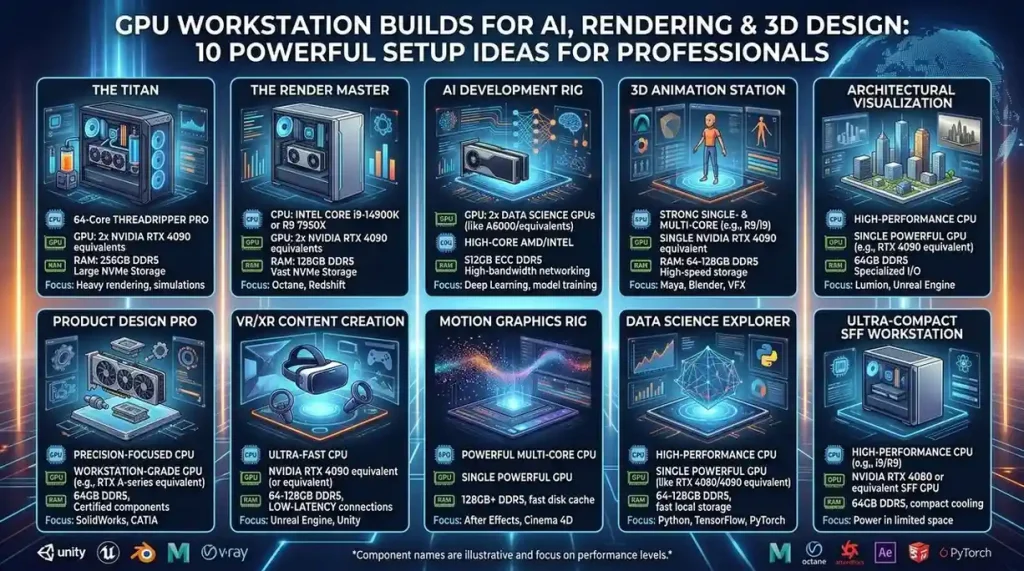
GPU Workstation Builds for AI, Rendering & 3D Design: 10 Powerful Setup Ideas for Professionals
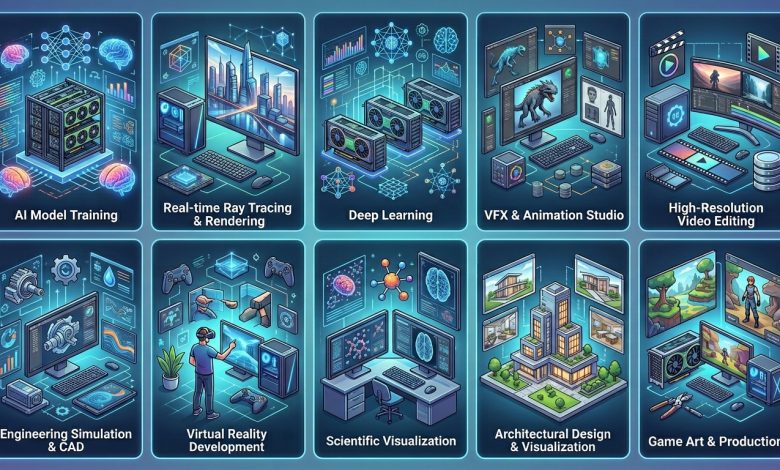
Table of Contents
GPU Workstation Builds for AI, rendering, and 3D design are no longer a luxury but a fundamental necessity for professionals GPU Workstation Builds pushing the boundaries of technology and creativity. In 2026, the demand for specialized computing power has intensified across various industries, from scientific research and advanced artificial intelligence development to breathtaking visual effects and intricate product design. Unlike general-purpose gaming PCs, a workstation meticulously optimized for these intensive tasks prioritizes raw computational throughput, vast memory capacity, and unwavering stability under sustained loads. This article delves into the critical components and considerations for constructing a high-performance GPU workstation tailored to the unique demands of AI, rendering, and 3D design workflows.
The Powerhouse Demands of Modern Workflows
Modern professional workflows, particularly in AI, rendering, and 3D design, place extraordinary demands on computer hardware. AI and machine learning tasks, such as training large language models or developing complex neural networks, require immense parallel processing capabilities and vast amounts of video random access memory (VRAM) to store model weights and datasets. Similarly, 3D rendering, whether for architectural visualization, animation, or product design, thrives on powerful GPUs to accelerate the computationally intensive process of generating photorealistic images and animations. 3D design and computer-aided design (CAD) applications also benefit significantly from robust GPUs for smooth viewport navigation, real-time feedback, and handling highly complex geometries.
The distinction between a gaming PC and a dedicated workstation is becoming increasingly pronounced. While gaming rigs prioritize high frame rates and graphics performance for interactive entertainment, AI workstations are engineered for sustained computational workloads, often running 24/7 for days or even weeks. This fundamental difference dictates specific hardware choices, focusing on professional-grade components designed for reliability, efficiency, and specialized acceleration features like Tensor Cores in NVIDIA GPUs. As AI capabilities become integrated into more creative and technical tools, the need for robust local workstations that can handle these complex processes efficiently will only continue to grow.
Understanding the Core Components of a High-Performance GPU Workstation Builds for AI
Building an effective GPU workstation for AI, rendering, and 3D design requires a deep understanding of how each component contributes to overall performance. It’s not merely about assembling the most expensive parts; it’s about creating a balanced system where each element complements the others to eliminate bottlenecks and ensure optimal workflow efficiency.
Graphics Processing Units (GPUs): The Heart of Your Workstation Builds for AI
The GPU is undeniably the most critical component for AI, rendering, and 3D design workstations, often considered the “heart” of the system due to its massively parallel processing architecture. For 2026, NVIDIA continues to dominate the professional market, primarily due to its mature CUDA ecosystem, which is the industry standard for AI and many rendering engines.
- For AI/Deep Learning: The NVIDIA RTX 5090 (32GB GDDR7) is identified as the best consumer GPU for AI in 2026, offering strong value for fine-tuning and inference of models up to 70B parameters with FP8/FP4 support. For more demanding professional workloads requiring high VRAM and ECC memory, the NVIDIA RTX PRO 6000 Blackwell (96GB ECC GDDR7) is the top-tier choice, capable of handling 70B model inference at FP8 on a single GPU. While AMD has made strides with its ROCm software stack and offers high VRAM at competitive prices, NVIDIA’s CUDA remains the preferred ecosystem for most AI practitioners.
- For 3D Rendering: The NVIDIA RTX 5090 is also the reigning performance king for 3D rendering in 2026, excelling in benchmarks for applications like Blender and V-Ray due to its 32GB of GDDR7 memory and 1,792 GB/s bandwidth. For large scenes and professional production pipelines that require extensive VRAM for film or simulation workloads, the NVIDIA RTX PRO 6000 Blackwell (96GB) or the RTX 6000 Ada (48GB) are recommended as professional powerhouses. The RTX 4090 (24GB) still offers excellent value for many rendering workflows, especially if scenes don’t exceed its VRAM capacity.
- For 3D Design & CAD: For 3D design and CAD applications like SolidWorks, Revit, and AutoCAD, professional workstation GPUs like the NVIDIA RTX A6000 Ada (48GB VRAM) are highly recommended. These cards provide exceptional performance, ISV (Independent Software Vendor) certification, and stable drivers crucial for professional environments. The NVIDIA RTX A4000 (16GB) or RTX A5000 (24GB) represent sweet spots for most Revit and general 3D design users, balancing performance and cost effectively. AMD’s Radeon PRO W7900 also presents a strong alternative, particularly for CAD and BIM workflows, but CUDA compatibility remains a key consideration for many rendering engines.
Central Processing Unit (CPU): The Orchestrator
While GPUs handle the heavy lifting in AI and rendering, the CPU acts as the orchestrator, managing data preprocessing, task scheduling, and general system operations. A high-core-count CPU is crucial for these workstations to feed data efficiently to the GPUs, manage complex scene graphs in 3D applications, and handle multi-threaded tasks concurrently.
For single-GPU AI builds, an AMD Ryzen 9 9950X (16 cores) offers excellent value. For multi-GPU systems, especially those needing full bandwidth to every card, AMD Threadripper CPUs like the 7980X (64 cores, 128 PCIe 5.0 lanes) are ideal, providing superior multi-threaded performance for data loading and preprocessing. Intel’s Xeon W9-3595X (60 cores, 120 threads) is a credible contender in the workstation segment, offering massive core count, ECC DDR5 support, and PCIe 5.0. For 3D modeling and CAD, Intel Core i9 or AMD Ryzen 9 CPUs with high clock speeds and sufficient core counts (e.g., Ryzen 9 7950X3D or Intel Core i7-14700K) are generally recommended.
Random Access Memory (RAM): Fueling Large Datasets and Complex Scenes
Adequate RAM is critical for handling large datasets in AI, complex scene geometry and textures in 3D rendering, and multiple applications simultaneously. Insufficient RAM forces the system to rely on slower disk-based caching, leading to significant performance degradation.
- For AI Workstations: 64GB to 128GB of DDR5 RAM is considered the sweet spot for many professional AI workstations in 2026, especially when paired with an RTX 5090. For larger models and advanced deep learning projects, 128GB to 256GB or even more is recommended. ECC (Error-Correcting Code) memory is highly recommended for Threadripper systems and critical research to ensure data integrity during long training runs.
- For 3D Rendering & Design: For 3D rendering, 32GB of RAM is a comfortable minimum for medium-level projects with larger textures, but 64GB is often recommended for complex animations and 4K workflows. Extreme 3D rendering or working with massive point clouds often necessitates 128GB RAM or more. For professional use, DDR5-5600 or higher speed memory is generally preferred.
Storage Solutions: Speed and Capacity for Productivity
Fast and ample storage is vital for quickly loading large datasets, saving project files, and handling frequent read/write operations common in AI and 3D workflows.
- Primary Drive (OS + Active Projects): A 2TB PCIe 5.0 NVMe SSD (e.g., Samsung 990 Pro, WD SN850X) is recommended for the operating system and active projects, offering read speeds of 7,000+ MB/s for rapid model loading and checkpoint writing.
- Secondary Drive (Datasets + Archives): A 4TB to 8TB PCIe 4.0 NVMe SSD provides excellent capacity at a lower cost per TB for storing larger datasets and archives.
- Optional: Network Attached Storage (NAS): For extremely large dataset libraries and long-term model storage, a NAS with 10GbE connectivity can keep workstation drives uncluttered and provide scalable storage.
Specialized Considerations for AI, Rendering, and 3D Design
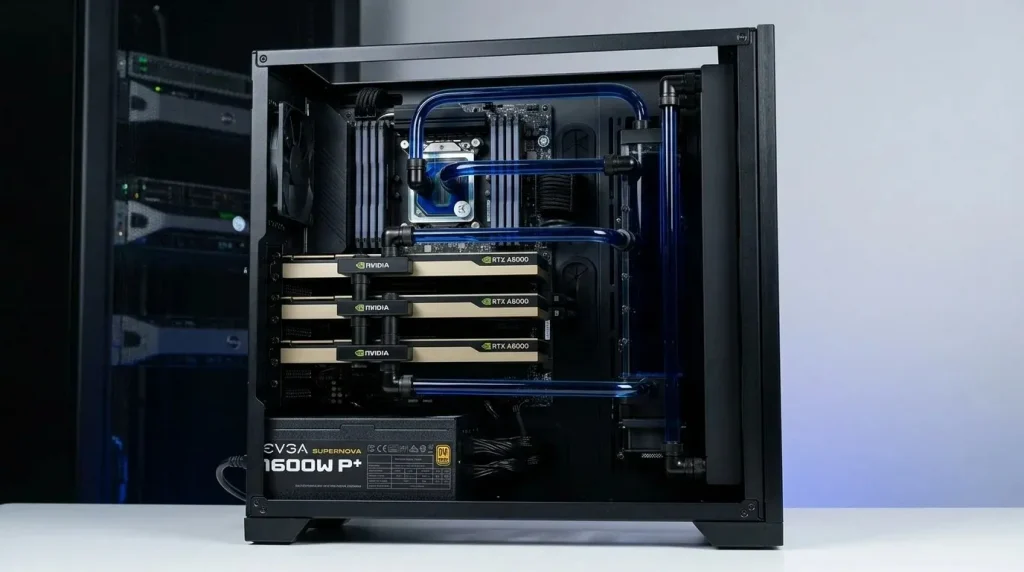
While the core components are foundational, tailoring your workstation to the specific demands of AI, rendering, or 3D design workflows involves understanding the nuances of each discipline.
AI/Deep Learning Workloads: Raw Computational Horsepower
AI and deep learning thrive on raw computational power and memory. The critical factors are VRAM capacity, Tensor Cores, and multi-GPU scalability. For instance, the NVIDIA RTX 5090 with 32GB GDDR7 is excellent for fine-tuning 7B models and running quantized inference up to 70B parameters. The RTX PRO 6000 Blackwell, with its 96GB of ECC GDDR7 VRAM, is essential for larger 70B model inference at FP8 precision, QLoRA fine-tuning, and applications requiring memory integrity over long computation runs, such as medical AI.
Multi-GPU setups are highly beneficial for AI training, allowing for model parallelism and handling even larger datasets. Workstation motherboards designed with multiple PCIe 5.0 x16 slots are necessary to accommodate these configurations, often requiring high-core-count CPUs like AMD Threadripper to provide sufficient PCIe lanes and manage data efficiently.
3D Rendering: From Offline to Real-Time
3D rendering depends heavily on the GPU, especially with modern render engines that leverage CUDA or OptiX for NVIDIA GPUs. VRAM is paramount, as the entire scene, including textures and geometry, must fit into the GPU’s memory during a render. For product visualization and motion design, 16GB of VRAM might suffice, but for architectural visualizations with 4K textures or VFX with simulation data, 32GB to 48GB is often required. The RTX 5090 is noted for its ability to handle scenes that would overflow 24GB cards, making the jump from 24GB to 32GB crucial for many production scenarios.
While NVIDIA generally leads due to strong software optimization for CUDA-based renderers like V-Ray, OctaneRender, and Redshift, AMD GPUs (e.g., Radeon RX 7900 XTX) can offer competitive performance in open-source renderers like Blender Cycles via HIP. Many studios use a combination of local GPUs for everyday work and cloud-based render farms for major render cycles to scale efficiently.
3D Design and CAD: Interactivity and Precision
For 3D design, CAD (Computer-Aided Design), and BIM (Building Information Modeling) applications, consistent viewport performance, driver stability, and ISV certification are key. While raw rendering speed is important, the ability to smoothly navigate complex models in real-time is often a higher priority. Professional cards like the NVIDIA RTX A-series (e.g., RTX A6000 Ada, RTX A5000, RTX A4000) are explicitly designed and certified for these applications, offering features like advanced error correction and specialized drivers that prevent viewport artifacts and ensure compatibility. The AMD Radeon Pro W7900 is also a strong contender for CAD and BIM workflows.
For AutoCAD, an NVIDIA RTX A2000 or AMD Radeon Pro W7500 is often sufficient, but for more complex Revit models or VR walkthroughs, an RTX A5000 or RTX 5000 Ada provides necessary headroom.
Building Your GPU Workstation: Essential Hardware Selection
Assembling a GPU workstation requires careful consideration of every component to ensure harmonious operation and maximum longevity under heavy loads.
| Component | AI Workload Recommendation (2026) | 3D Rendering Recommendation (2026) | 3D Design/CAD Recommendation (2026) |
|---|---|---|---|
| GPU | NVIDIA RTX 5090 (32GB) or RTX PRO 6000 Blackwell (96GB ECC) for professional use | NVIDIA RTX 5090 (32GB) or RTX PRO 6000 Blackwell (96GB) | NVIDIA RTX A5000 (24GB) or RTX A6000 Ada (48GB) |
| CPU | AMD Ryzen 9 9950X (16 cores) for single GPU; AMD Threadripper (e.g., 7980X) for multi-GPU | AMD Ryzen 9 9950X or Threadripper; Intel Core i9 or Xeon (high core count) | Intel Core i7-14700K or AMD Ryzen 9 7950X3D (high clock speed, good core count) |
| RAM | 64GB-128GB DDR5 (ECC for Threadripper); 128GB-256GB+ for large models | 32GB DDR5 (minimum); 64GB-128GB for complex scenes/animations | 32GB DDR5 (minimum); 64GB for very large assemblies/models |
| Storage | 2TB PCIe 5.0 NVMe (OS/active projects); 4-8TB PCIe 4.0 NVMe (datasets) | 2TB PCIe 5.0 NVMe (OS/active projects); 4-8TB PCIe 4.0 NVMe (large assets) | 2TB PCIe 4.0/5.0 NVMe (OS/active projects) |
| PSU | 1000W+ (single GPU); 1500W-1600W+ (dual GPU), 80+ Platinum/Titanium | 1000W+ (single GPU); 1500W-1600W+ (multi-GPU), 80+ Platinum/Titanium | 650W-850W (single GPU), 80+ Gold/Platinum |
| Cooling | 360mm AIO for CPU; robust case airflow, potentially liquid cooling for GPU | 360mm/420mm AIO for CPU; strong case airflow, liquid cooling recommended for flagship GPUs | High-performance air cooler or 240mm/360mm AIO for CPU; good case airflow |
| Motherboard | X670E (Ryzen 9) or TRX50 (Threadripper), multiple PCIe 5.0 x16 slots | X670E (Ryzen 9) or TRX50 (Threadripper); multiple PCIe 5.0 x16 slots | B650E or Z790/Z890 chipset with ample PCIe lanes |
Motherboard: The Foundation for Multi-GPU Setups
The motherboard connects all components and is especially critical for multi-GPU workstations. For AI and rendering, look for motherboards with ample PCIe lanes, preferably PCIe 5.0, to support multiple GPUs at full bandwidth. AMD’s Threadripper platforms (e.g., TRX50 chipset) are excellent for this, offering many PCIe 5.0 lanes suitable for multi-GPU configurations. Intel’s workstation chipsets (e.g., W980 for Xeon W) also provide robust PCIe 5.0 support. Ensure the motherboard has sufficient spacing between PCIe slots for adequate GPU cooling.
Power Supply Unit (PSU): Uninterrupted Power Delivery
Modern GPUs, particularly the NVIDIA RTX 5090, draw significant power (up to 575W TDP for a single RTX 5090). For a single-GPU workstation, a minimum 1000W PSU is recommended, while dual-GPU builds typically require 1500W to 1600W. High-efficiency ratings (80 Plus Platinum or Titanium) are crucial, as these systems run under heavy load for extended periods, and higher efficiency reduces heat generation and electricity costs. A 20-25% headroom over the calculated peak draw is advisable to ensure stability and extend component lifespan. Ensure the PSU features native 12V-2×6 cables for the latest GPUs, adhering to the ATX 3.1 standard.
Cooling Systems: Keeping Performance Optimal
Sustained high loads from AI training or rendering generate considerable heat, making robust cooling essential to prevent thermal throttling and maintain peak performance.
- CPU Cooling: A 360mm or 420mm All-In-One (AIO) liquid cooler is recommended for high-TDP CPUs like Ryzen 9, Threadripper, or Intel Core i9/Xeon, providing reliable cooling with minimal maintenance.
- GPU Cooling: While reference GPU coolers work, aftermarket models with larger heatsinks and multiple fans from brands like ASUS, MSI, or EVGA run cooler and quieter under sustained loads. For extreme multi-GPU setups, custom liquid cooling solutions or hybrid GPU coolers can provide superior thermal management.
- Case Airflow: Prioritize cases designed for excellent airflow, often full-tower or mesh designs, with multiple intake and exhaust fans to ensure consistent front-to-back airflow, especially for multi-GPU configurations.
Chassis/Case: Airflow and Expandability
The case selection goes beyond aesthetics; it’s about functionality. For workstations, prioritize cases that offer superior airflow to prevent heat buildup, especially with multiple high-power components. Look for full-tower or large mid-tower cases that can accommodate oversized GPUs, multiple radiators for liquid cooling, and numerous storage drives. Expandability for future upgrades is also a key consideration, ensuring enough bays and slots for additional GPUs, storage, or cooling components.
Optimizing Your Workstation for Peak Performance
Beyond hardware, software and operating system choices play a crucial role in unlocking the full potential of your GPU workstation.
Software and Drivers: The Unsung Heroes
Keeping GPU drivers updated is paramount for performance and stability, particularly for professional applications. NVIDIA’s Studio Drivers are optimized for creative applications, while Game Ready Drivers focus on gaming. For AI, ensuring compatibility with the latest CUDA versions and deep learning frameworks like TensorFlow and PyTorch is essential. For 3D design and CAD, ISV-certified drivers from NVIDIA (for their Quadro/RTX A-series) or AMD (for their Radeon Pro series) ensure stability and compatibility with specific software features.
Operating System Choice
Windows 11 Pro is a common choice for content creation and 3D design due to broad software compatibility. For AI and deep learning, Linux distributions (e.g., Ubuntu) are often favored by researchers and developers due to their open-source nature, robust command-line tools, and native support for many AI frameworks. However, modern frameworks are increasingly cross-platform compatible, and Windows Subsystem for Linux (WSL) can bridge some gaps.
Conclusion: Investing in Future-Proof Productivity
GPU Workstation Builds for AI, rendering, and 3D design represent a significant investment, but one that yields substantial returns in productivity, efficiency, and creative freedom. As artificial intelligence continues to integrate into various workflows, and the demands for higher fidelity rendering and more complex 3D models grow, the need for specialized hardware becomes even more critical. By carefully selecting each component—from the powerful NVIDIA RTX 5090 or RTX PRO 6000 Blackwell GPUs to high-core-count CPUs, ample ECC RAM, and rapid NVMe storage—professionals can construct a workstation that not only meets the stringent requirements of today but is also capable of tackling the challenges of tomorrow. Investing in a thoughtfully designed GPU workstation ensures that you remain at the forefront of innovation, transforming ambitious concepts into tangible realities with unparalleled speed and precision. For more detailed insights into the evolution of GPU technology and its impact on computational fields, exploring resources like Wikipedia’s entry on Graphics Processing Units can provide valuable historical context and technical depth.