Second-Hand GPU Buying Tips: 10 Smart & Safe Tricks for Gamers and Miners
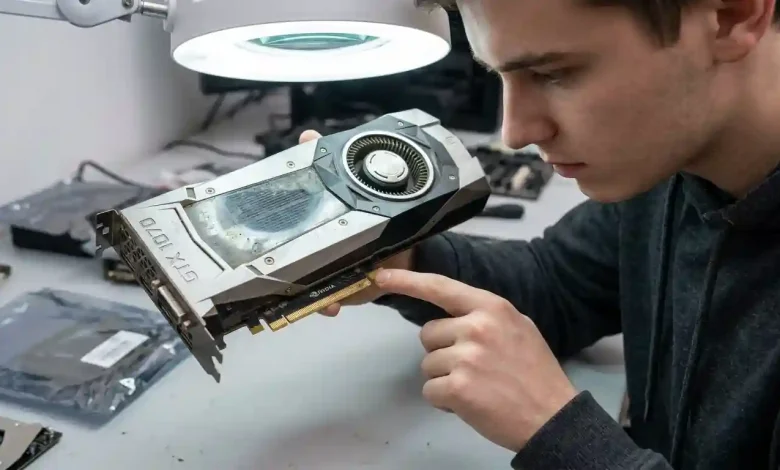
Table of Contents
Second-hand GPU buying has become an increasingly popular and often necessary strategy for both gamers looking to upgrade their systems on a budget and miners seeking cost-effective hardware for their operations. The volatile nature of the graphics card market, often influenced by supply chain issues, cryptocurrency booms, and new product launches, makes used GPUs an attractive alternative to pricey new models. However, navigating this market requires diligence, knowledge, and a keen eye to avoid potential pitfalls. This comprehensive guide will equip you with the essential tips and considerations to make an informed and successful second-hand GPU purchase.
Why Consider a Second-Hand GPU?
The primary driver for delving into the used GPU market is, undoubtedly, cost savings. New graphics cards, especially high-end models, often come with hefty price tags that can be prohibitive for many users. By opting for a second-hand unit, buyers can often acquire a card with similar performance to a new mid-range or even high-end GPU at a fraction of the cost. This allows gamers to achieve higher frame rates and better visual fidelity without breaking the bank, while miners can maximize their return on investment by reducing initial hardware expenditure.
Beyond affordability, buying used hardware also aligns with environmental sustainability efforts. Reusing electronic components reduces e-waste and lessens the demand for new manufacturing, contributing to a more circular economy. For many, this ethical consideration adds another layer of appeal to the second-hand market.
Understanding the Risks and Rewards of Used GPUs
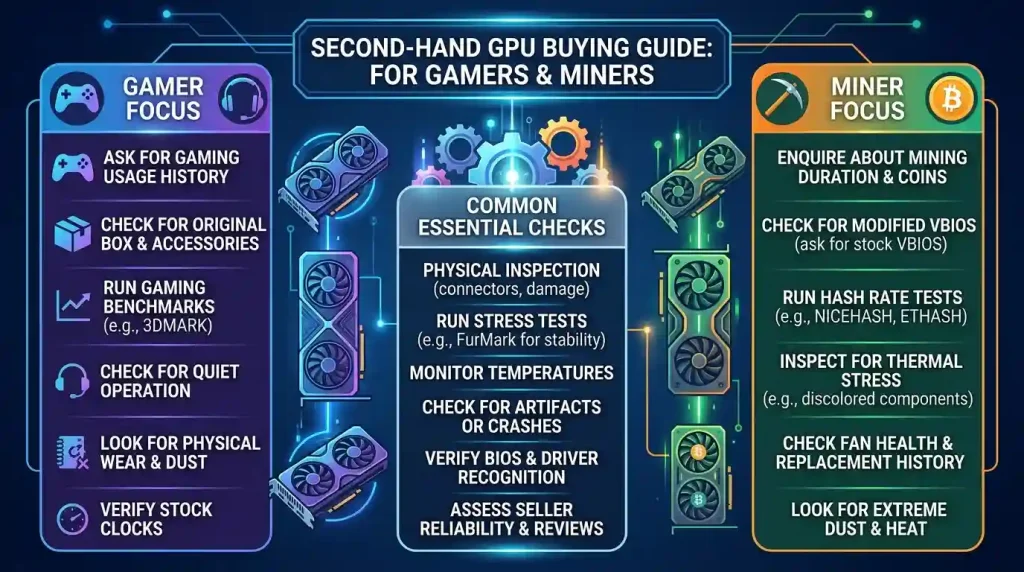
While the rewards of significant savings and accessible performance are enticing, the second-hand GPU market is not without its risks. The main concern is the potential for receiving a faulty, damaged, or misrepresented card that may fail prematurely. Common issues can include reduced lifespan due to prolonged heavy workloads, inadequate maintenance, or even physical damage that is not immediately apparent.
One major worry for buyers is the potential lack of a warranty. Most manufacturer warranties are non-transferable, leaving the second owner without recourse if the card malfunctions. This makes thorough inspection and testing even more crucial. Scams are also a concern, ranging from sellers misrepresenting a card’s model or condition to outright fraud. Therefore, understanding these risks is the first step in mitigating them through careful buying practices.
Where to Hunt for Your Next Second-Hand GPU
The landscape for buying used GPUs is diverse, with several platforms offering different levels of buyer protection and pricing. Each option has its unique advantages and disadvantages:
- Online Marketplaces (eBay, Facebook Marketplace, Craigslist): These are popular choices due to their wide reach and competitive pricing. eBay, in particular, offers buyer protection policies that can be invaluable if a purchased item is not as described. Facebook Marketplace and Craigslist are great for local deals, allowing for in-person inspections and testing before purchase, which significantly reduces risk. However, local marketplaces generally offer less buyer protection.
- Specialized Forums and Communities (Reddit’s r/hardwareswap, dedicated tech forums): These platforms cater to tech enthusiasts and often have more knowledgeable sellers and buyers. While they might offer good deals, the level of buyer protection can vary significantly, often relying on community reputation and trust. Reddit’s r/hardwareswap is frequently mentioned as a source for good deals on used GPUs.
- Local Computer Shops/Retailers: Some brick-and-mortar stores and online retailers offer refurbished or used GPUs, often with their own limited warranties. While prices might be slightly higher than peer-to-peer sales, the added peace of mind from a professional inspection and potential warranty can be worth the extra cost.
The Critical Inspection: What to Look For Before You Buy
A thorough inspection is paramount when considering a used GPU. This involves both visual checks and asking the right questions. Don’t underestimate the power of physical examination, as it can reveal a lot about a card’s history and potential issues.
- Physical Condition: Look for excessive dust buildup, which can indicate poor maintenance and potential overheating issues. Check for bent pins on the PCIe connector, damaged fan blades, or bent heatsink fins, all of which can severely impact performance or cooling. Oily residue or discoloration on the PCB (Printed Circuit Board) can be a sign of excessive heat exposure. Heavily scratched screws or missing warranty stickers might mean the card has been opened, potentially for thermal paste replacement or repairs. While not always a red flag, it warrants asking the seller for details.
- Fans: Spin the fans manually to check for grinding or rattling noises, which suggest worn bearings. Ensure all fans are present and intact. Missing or broken fan blades are a clear indicator of damage.
- Ports: Inspect all video output ports (HDMI, DisplayPort, DVI) for damage. A non-functional port usually indicates a serious underlying problem.
- Seller’s Transparency: A reputable seller should be willing to provide clear, high-resolution photos or videos of the actual card, not stock images. They should also be transparent about the card’s usage history, including whether it was used for gaming, mining, or other heavy workloads, its original purchase date, and the reason for selling. Be wary of sellers who are vague or unwilling to answer questions.
- BIOS Check: Malicious sellers might flash a different BIOS onto a lower-end card to make it appear as a higher-end model. Using a tool like GPU-Z can help verify the card’s true specifications, including its model, memory type, and BIOS version. If the VBIOS is not stock, especially for a relatively newer card, it could indicate it was used for mining and had its firmware modified for efficiency, which may or may not be detrimental but requires a reflash to stock for optimal gaming performance.
Essential Testing Procedures: Ensuring Your GPU’s Health
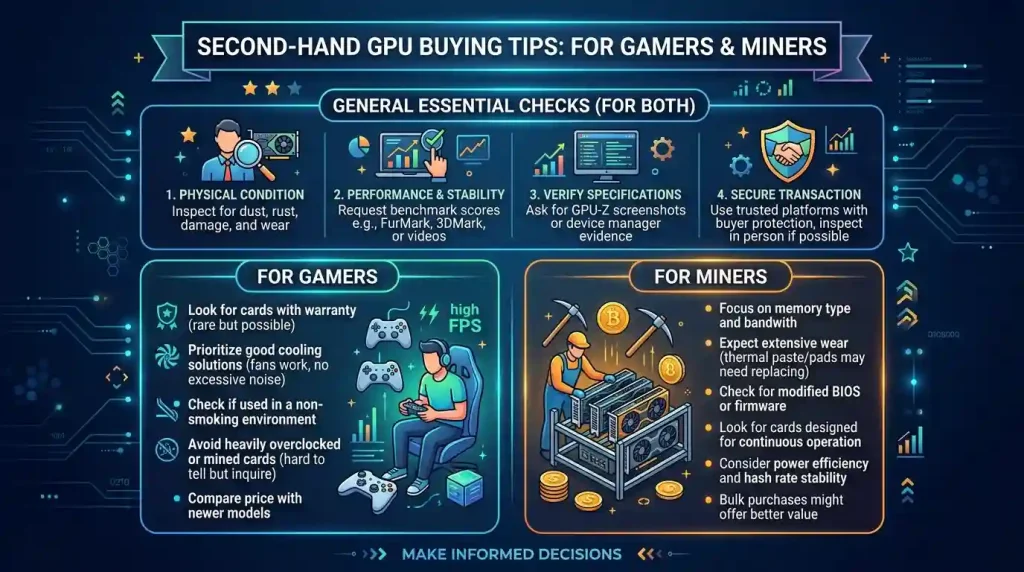
If possible, testing the GPU in person before finalizing the purchase is the ideal scenario. This allows you to observe its performance and stability under load. If an in-person test isn’t feasible, ask the seller to provide video evidence of the card running various tests. Ensure the video clearly shows the card, the monitor output, and any diagnostic software being used.
Here’s what to test for:
| Test Type | Recommended Software/Action | What to Look For |
|---|---|---|
| System Information & Authenticity | GPU-Z | Verifies GPU model, VRAM, clock speeds, BIOS version. Essential to detect fake or misrepresented cards. |
| Stress Testing & Stability | FurMark, Unigine Heaven/Superposition, 3DMark, OCCT | No crashes, artifacts (visual glitches like flickering, dots, lines), or sudden performance drops. Monitor temperatures. |
| Temperature Monitoring | GPU-Z, HWiNFO, MSI Afterburner | Stable temperatures under load (ideally below 85°C for GPU core, up to 95°C for hotspot/memory junction). No rapid spikes. |
| Benchmarking | 3DMark (Time Spy/Fire Strike), Unigine Heaven/Superposition | Compare scores to online benchmarks for the same GPU model. Significant discrepancies could indicate issues. |
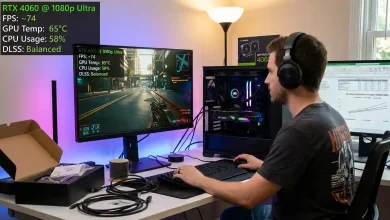
| In-Game Testing | Demanding modern games (e.g., Cyberpunk 2077, Assassin’s Creed Mirage) | Smooth gameplay without stuttering, artifacts, or crashes. Observe performance and temperatures. |
When stress testing, monitor the GPU’s temperatures closely. While modern GPUs can safely operate at temperatures up to around 85°C, and hotspot/memory junction temperatures can reach 95-100°C under heavy load, consistently higher temperatures or rapid increases can indicate poor thermal paste application, clogged heatsinks, or a failing cooling system.
Specific Considerations: Gamers vs. Miners
The history of a GPU, particularly whether it was used for cryptocurrency mining, is a significant factor. The common perception is that mining “ruins” a GPU, but the reality is more nuanced.
- Mining GPUs: GPUs used for mining typically run 24/7 under a constant, but often undervolted and underclocked, load to maximize efficiency and longevity. This can result in constant heat exposure, which primarily affects components like fans, VRMs (Voltage Regulator Modules), and memory. However, well-maintained mining cards, run in temperature-controlled environments with adequate cooling, can still have a considerable lifespan. Signs of a poorly maintained mining GPU include discolored PCBs, rust on metal components, and worn-out fans. Some older GPUs, like RTX 30-series or RX 6000-series, are more likely to have been used for mining.
- Gaming GPUs: Gaming puts GPUs under fluctuating loads, with spikes in power and temperature during intense scenes, followed by periods of lower usage. While less constant than mining, frequent thermal cycling can also contribute to wear and tear over time. Overclocking by a previous owner can exacerbate this, leading to higher temperatures and increased stress.
When buying a GPU, always ask the seller about its history. If it was used for mining, inquire about the operating conditions, such as cooling setup, voltage, and clock speed tweaks. A transparent seller who can provide details and proof of careful usage is a better bet. Generally, if a card has been well-maintained and not pushed to extreme thermal limits, its past usage (gaming or mining) may be less critical than its overall condition and performance in current tests. For a more in-depth understanding of GPU lifespan and maintenance, you can consult resources like Wikipedia’s entry on Graphics Processing Units.
Pricing and Negotiation Strategies
Research is key to determining a fair price for a used GPU. Monitor online marketplaces like eBay and dedicated forums for recently sold listings of the exact model you’re interested in. This gives you a realistic idea of current market values. Factors influencing the price include the card’s age, model, condition, remaining warranty (if any), and whether original packaging or accessories are included. Newer generation GPUs, like the RTX 40-series or RX 7000-series, are less likely to have been used for extensive mining, potentially commanding a slightly higher price due to perceived lower risk.
Don’t be afraid to negotiate, especially if you identify minor cosmetic flaws or if the seller is eager to offload the card. However, be realistic with your offers; extremely low prices for high-end cards can often be a red flag for scams or hidden issues.
Conclusion: Making an Informed Decision
Buying a second-hand GPU can be an excellent way to acquire powerful hardware without the premium price tag. For gamers, it means unlocking higher performance for less, while miners can build or expand their operations more cost-effectively. However, success in this market hinges on a disciplined approach: thorough research, meticulous physical inspection, and rigorous testing. Always prioritize transparency from the seller and, whenever possible, conduct in-person transactions and tests. By following these tips, you can confidently navigate the second-hand GPU market, secure a great deal, and enjoy enhanced computing power for your gaming or mining endeavors.