GPU Benchmark: The Ultimate Guide to Graphics Performance Evaluation
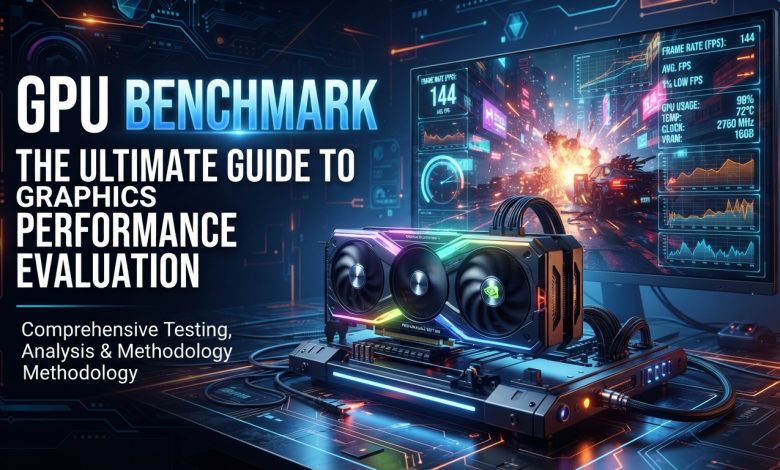
Table of Contents
GPU benchmark refers to the process of rigorously testing a graphics card to assess its performance capabilities under various demanding conditions. It involves running specialized software that pushes the GPU to its operational limits, generating a quantifiable score or set of metrics that reflect its ability to handle visual and computational workloads. This evaluation is crucial for anyone involved with PC hardware, from casual gamers and content creators to professional developers and researchers. Understanding how to benchmark a GPU accurately and interpret the results is key to making informed decisions about hardware upgrades, optimizing system performance, and comparing different graphics cards in the ever-evolving technology landscape.
What is a GPU Benchmark?
A GPU benchmark is essentially a standardized test designed to measure the speed, efficiency, and stability of a graphics processing unit. These tests simulate real-world tasks, often involving complex 3D rendering, general-purpose GPU (GPGPU) compute operations, and VRAM throughput measurements. The primary goal is to generate a numerical score or a series of data points that can be used for objective comparison between different GPUs, system configurations, or even to track the performance changes of a single GPU over time, perhaps after driver updates or overclocking. The benchmark assesses how effectively a graphics card processes graphical and computational tasks, providing a comprehensive view of its capabilities.
The testing process often involves rendering intricate 3D scenes that mimic the graphical demands of modern video games and professional applications. These scenes include geometry processing, texture sampling, lighting calculations, and shader execution, with the score derived from metrics like average frame time and frame rates (FPS). Lower frame times and higher FPS generally indicate superior performance. Beyond gaming, benchmarks also measure the GPU’s capacity for GPGPU compute, which involves using the GPU’s parallel architecture for tasks like scientific simulations, machine learning, video encoding, and image processing. This is typically measured in GFLOPS (billions of floating-point operations per second), reflecting raw compute throughput.
Why is GPU Benchmarking Important?
GPU benchmarking is vital for several reasons, offering critical insights for a wide range of users. It provides a concrete way to understand and optimize the performance of graphics hardware, which is central to rendering, computing, and gaming tasks.
- Informed Purchase Decisions: Specifications alone do not always tell the full story. A GPU with seemingly superior specs might not always outperform a competitor in real-world scenarios. Benchmarking provides objective data, allowing consumers to compare performance across various models and brands before making a purchase. This is especially crucial given the diverse range of gaming PC builds and professional workstations available.
- Performance Optimization: Benchmarking helps users identify potential bottlenecks in their system, such as a powerful GPU being limited by an older CPU, or issues related to thermal throttling and power delivery. By running structured tests, users can pinpoint areas for improvement and optimize their system for specific needs, whether it’s gaming, 3D rendering, or AI workloads.
- Troubleshooting and Stability Testing: Pushing a GPU to its limits through benchmarks can expose instabilities, overheating issues, or driver problems that might not be apparent during casual use. This stress testing helps ensure the graphics card can sustain performance under prolonged load, which is critical for demanding applications.
- Tracking Performance Over Time: Benchmarks allow users to track how software updates, driver installations, or hardware changes (like overclocking) impact their GPU’s performance. This historical data is valuable for enthusiasts and professionals alike.
- Comparison and Validation: For reviewers and journalists, benchmarks are indispensable for providing reliable and comparable data to their audience. For hardware manufacturers, they offer crucial feedback for optimizing new products and validating performance claims.
In an era where digital content creation, scientific simulations, and machine learning demand ever-increasing computational power, understanding and optimizing GPU performance through benchmarking is no longer optional. It helps users harness the complete potential of their graphics hardware.
Types of GPU Benchmarks
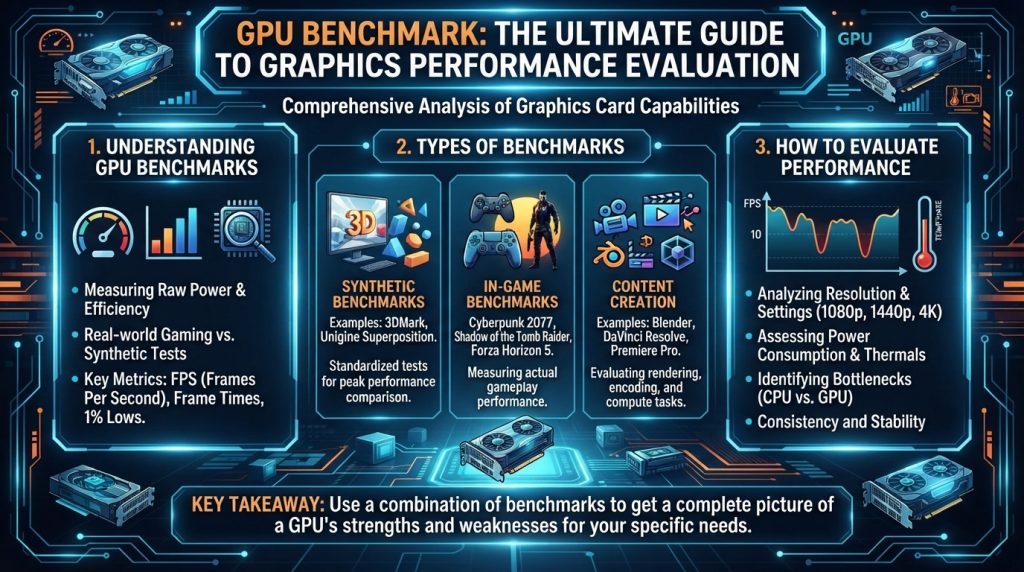
GPU benchmarks broadly fall into two main categories: synthetic and real-world benchmarks, each serving distinct purposes and offering different insights into a GPU’s capabilities.
- Synthetic Benchmarks: These are artificial tests designed to push a GPU’s raw performance in a standardized and repeatable manner. They don’t necessarily mimic specific games or applications but rather focus on isolating and testing particular aspects of a GPU’s architecture, such as shader performance, texture fill rate, or memory bandwidth.
- Advantages: Synthetic benchmarks offer highly consistent results, making them excellent for direct comparisons between different GPUs or for tracking performance changes from driver updates or overclocking. They are often designed to stress the GPU maximally, revealing its theoretical peak performance.
- Disadvantages: Their artificial nature means they may not always perfectly reflect real-world gaming or application performance, as actual software often has varying levels of optimization and relies on different API implementations.
- Examples: Popular synthetic benchmarks include 3DMark (Time Spy, Fire Strike, Steel Nomad), Unigine Heaven, Valley, and Superposition, and FurMark. Cinebench 2026 has also reinstated GPU benchmarking, utilizing a consistent scene file for both CPU and GPU testing.
- Real-World Benchmarks: These benchmarks measure GPU performance within actual games or professional applications that people use daily. They often involve running built-in benchmark tools within games or recording frame rates during typical gameplay scenarios.
- Advantages: Real-world benchmarks provide a more accurate representation of how a GPU will perform in the specific tasks for which it will be used. They account for game engine optimizations, API overheads (like DirectX or Vulkan), and other factors that influence actual user experience.
- Disadvantages: Results can be more variable due to numerous factors like game engine updates, driver changes, background applications, and even subtle variations in gameplay. Comparing GPUs across different real-world benchmarks can also be challenging due to varying game settings and testing methodologies.
- Examples: Many modern games include integrated benchmarking tools (e.g., Cyberpunk 2077, Red Dead Redemption 2, Forza Horizon 5). Professional applications like Blender or specific machine learning workloads also serve as real-world benchmarks for compute-intensive tasks.
For a comprehensive understanding, it is generally recommended to use a combination of both synthetic and real-world benchmarks. Synthetic tests reveal raw power, while real-world tests show how that power translates to actual usage.
Popular GPU Benchmarking Tools and Software
The market offers a wide array of GPU benchmarking tools, catering to different needs from quick checks to in-depth analysis. Many of these tools come in both free and paid versions, with paid versions often offering more comprehensive features, detailed reports, and advanced tests.
Here are some of the most popular and respected GPU benchmarking software available in 2026:
- 3DMark: Often considered the industry standard for GPU benchmarking, 3DMark by UL Solutions offers a comprehensive suite of tests tailored for various hardware and resolutions. Its free edition provides basic tests that yield a score comparable with millions of other results online, while paid versions unlock more advanced features and tests. Tests like Time Spy (DX12), Fire Strike (DX11), and the newer Steel Nomad are highly regarded for gauging gaming performance.
- Unigine Benchmarks (Heaven, Valley, Superposition): Unigine’s offerings are renowned for their visually stunning 3D scenes that effectively stress-test GPUs and evaluate stability under demanding conditions. Heaven and Valley are fully free, while Superposition offers a free basic version. These are excellent for testing at specific resolutions and quality settings, providing unbiased results across various platforms.
- Cinebench 2026: Maxon’s Cinebench has been a long-standing tool for evaluating CPU performance. Notably, Cinebench 2026 has reinstated GPU benchmarking, a feature absent for a decade, using the powerful 3D engine found in Cinema 4D. It evaluates both CPU and GPU rendering performance, offering insights into how GPUs handle real-world 3D rendering workloads. It’s free and supports a wide range of hardware, including the latest NVIDIA RTX 5000 and AMD 9000 series GPUs.
- FurMark: Known as a “GPU killer” or “stress test,” FurMark is highly effective for thermal stability and temperature testing. It renders highly intensive, fur-rendered scenes that push the GPU to its limits, making it ideal for checking cooling system potential under maximum heat output and identifying potential overheating issues.
- Novabench: This free software offers a quick suite of tools for monitoring overall system performance, including CPU, storage, and GPU. It evaluates 3D rendering, general-purpose GPU compute, and VRAM throughput, combining the results into a GPU score. It supports Windows, Mac, and Linux, and is compatible with x86-64 and ARM64 architectures.
- PassMark PerformanceTest: PassMark provides a comprehensive suite of tests including 2D and 3D graphics benchmarks. They collect millions of benchmark results, allowing users to compare their GPU against a vast database.
In addition to these dedicated benchmarking tools, utilities like GPU-Z or HWiNFO are invaluable for monitoring GPU metrics such as temperature, clock speeds, power consumption, and utilization during benchmark runs. These monitoring tools provide critical data for understanding the stability and efficiency of your graphics card.
Understanding and Interpreting Benchmark Results
Interpreting GPU benchmark results goes beyond simply looking at the highest score. A nuanced understanding of the metrics is crucial for drawing meaningful conclusions about a GPU’s performance. Different software have their own standards, so a higher score within the same benchmark implies better performance.
Key Metrics to Look For:
- Frame Rate (FPS – Frames Per Second): This is arguably the most critical metric for gamers, indicating how smoothly a game or application runs.
- Average FPS: The mean frame rate over the test duration. A higher average FPS means smoother gameplay.
- 1% Low FPS: The frame rate below which only 1% of frames fall. This metric is vital as it indicates stuttering or significant drops in performance. A higher 1% low FPS means a more consistent and fluid experience.
- 0.1% Low FPS: An even more extreme indicator of low-end performance, highlighting very infrequent but noticeable stutters.
- Frame Time (ms – milliseconds): This measures the time it takes to render each individual frame. A consistent and low frame time is indicative of smooth gameplay. For instance, 60 FPS translates to approximately 16.67ms frame time. Consistency in frame times is as important as the average FPS.
- GPU Score: Many synthetic benchmarks provide a single, aggregated GPU score. While useful for quick comparisons, it’s important to understand what aspects of performance (3D rendering, compute, VRAM) contribute to that score.
- Temperature and Power Consumption: Monitoring these metrics during benchmarks reveals the GPU’s thermal efficiency and power draw. High temperatures can lead to thermal throttling, reducing performance, while excessive power consumption affects operating costs.
- GPU Utilization: This shows how much of the GPU’s processing power is being used. If the GPU utilization is consistently low during a demanding task, it might indicate a CPU bottleneck. Conversely, 100% GPU utilization while the CPU is not fully utilized is generally considered good, as long as frame rates are acceptable.
Interpreting and Comparing Results:
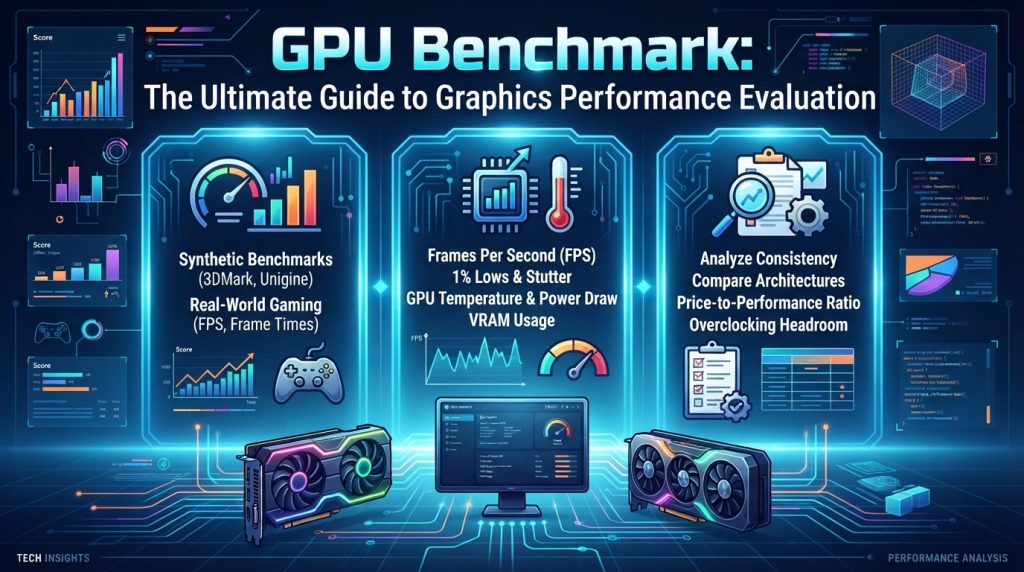
When interpreting results, consider the following:
- Comparative Analysis: Always compare your results against known reference cards or a database of similar systems. Websites like Novabench, PassMark, and 3DMark maintain extensive databases of user-submitted scores, which can provide useful context. Tom’s Hardware also provides comprehensive GPU benchmark hierarchies updated regularly.
- Resolution and Settings: Performance varies significantly with resolution and in-game settings. A GPU might perform well at 1080p but struggle at 4K. Always compare benchmarks conducted at similar resolutions and quality presets.
- Consistency of Testing Environment: Factors like background applications, driver versions, and even room temperature can affect benchmark results. For reliable comparisons, ensure your testing environment is as consistent as possible.
- Bottleneck Analysis: Benchmark results can help identify if your system is GPU-limited (GPU fully utilized, CPU idle) or CPU-limited (CPU cannot feed the GPU fast enough, GPU idle). A balanced system where both CPU and GPU are well-utilized is ideal.
- Specific Workload Relevance: For AI/ML tasks, metrics like VRAM capacity, FLOPS, memory bandwidth, and latency are often more important than traditional gaming FPS. For example, a 70B language model requires 140GB in FP16 precision, making VRAM capacity critical.
Understanding these various metrics and the context in which they are generated will allow you to make truly informed assessments of your GPU’s performance.
Factors Influencing GPU Benchmark Scores
A GPU’s benchmark score is not solely determined by the graphics card itself. Numerous factors, both hardware and software-related, can significantly influence the results. Understanding these elements is essential for accurate benchmarking and performance optimization.
| Factor Category | Specific Factor | Impact on Benchmark Scores |
|---|---|---|
| GPU Hardware | GPU Architecture & Generation | Newer architectures deliver more performance per watt and per clock cycle. More advanced features (e.g., dedicated Ray Tracing Cores, Tensor Cores) enhance performance in specific workloads. |
| VRAM Amount & Type | More VRAM allows the GPU to store larger textures and datasets without swapping to system memory. VRAM type (GDDR5, GDDR6, GDDR6X, HBM) dictates bandwidth. Critical for high resolutions and AI workloads. | |
| Memory Bus Width | Wider memory buses increase bandwidth, leading to faster data transfer. This is a fixed characteristic of the GPU model. | |
| Clock Speed (Core & Memory) | Higher clock speeds generally mean faster execution of instructions, directly boosting performance. Overclocking can increase scores but must be stable. | |
| System Hardware | CPU Performance | A weak CPU can bottleneck even a powerful GPU, especially at lower resolutions, preventing the GPU from being fully utilized. |
| RAM (System Memory) | Insufficient or slow system RAM can create a bottleneck, particularly for games or applications that require fast data transfer between CPU and GPU. | |
| Storage (SSD/HDD) | While less impactful on raw GPU performance, a slow drive can affect load times and overall system responsiveness, which might indirectly influence benchmark consistency if assets are streamed. | |
| Power & Thermals | Power Delivery (PSU) | An inadequate power supply can cause the GPU to throttle or crash under load. |
| Thermal Throttling | GPUs reduce clock speeds when they overheat to prevent damage. Good airflow and cooling are crucial for sustained performance. | |
| Power Plan/Settings | On laptops, power-saving modes can limit GPU performance. High-performance settings are necessary for benchmarking. | |
| Software & Drivers | Graphics Drivers | Up-to-date and stable graphics drivers are paramount for optimal performance and compatibility. Outdated or corrupt drivers can severely impact scores. |
| Operating System | OS updates and background processes can influence performance. A clean OS installation is ideal for benchmark consistency. | |
| Background Applications | Running other graphics applications, browser tabs, or background downloads can consume GPU resources, lowering benchmark scores. | |
| Display & Configuration | Resolution & Settings | Higher resolutions and more demanding in-game settings (e.g., anti-aliasing, texture quality, ray tracing) significantly increase the load on the GPU and thus lower FPS/scores. |
| Multi-Monitor Setups | Additional displays consume GPU processing cycles for desktop rendering, which can have a minor but noticeable impact. |
Each of these factors contributes to the final benchmark score, highlighting the complexity of accurately evaluating GPU performance. For truly reliable results, a controlled testing environment and careful consideration of all variables are necessary.
The Future of GPU Benchmarking
As graphics technology continues its rapid evolution, driven by advancements in artificial intelligence, real-time ray tracing, and increasingly complex visual experiences, the landscape of GPU benchmarking is also undergoing significant transformation. The focus is shifting beyond traditional gaming FPS to encompass a broader range of metrics relevant to emerging workloads.
One of the most prominent trends is the increasing emphasis on AI and Machine Learning (ML) workloads. While gaming benchmarks historically dominated, the metrics that predict performance for tasks like large language model development, AI image generation, and high-throughput inference are now crucial. Benchmarks such as MLPerf Inference v5.1, which introduced tests for reasoning language models, are becoming new gold standards. For these applications, factors like VRAM capacity, memory bandwidth, and computational power (FLOPS) often trump raw gaming frame rates. The “2GB per billion parameters” rule for VRAM capacity in LLM development highlights a critical performance cliff where insufficient VRAM can lead to drastic slowdowns. This means future benchmarks will need to heavily incorporate specific AI/ML tasks like image recognition, natural language processing, and deep learning inference.
Ray tracing and path tracing will also continue to drive benchmark innovation. As these rendering techniques become more prevalent and sophisticated in games and professional visualization, benchmarks will need to accurately measure GPU performance in handling these highly computationally intensive effects. The development of advanced upscaling technologies like NVIDIA’s DLSS and AMD’s FSR, which incorporate AI, further complicates traditional FPS measurements, as they artificially boost frame rates. Future benchmarks will need robust methodologies to account for these technologies, perhaps offering separate scores for native resolution versus upscaled performance.
The industry is also seeing a move towards more unified benchmarking scenes. Cinebench 2026, for example, utilizes a consistent scene file for both CPU and GPU testing, providing a more streamlined evaluation process and a real-world glimpse into leveraging cutting-edge graphics hardware for rendering tasks. This approach can help in discerning the advantages of leveraging technologies like Redshift GPU.
Furthermore, the rise of cloud GPUs for AI/ML tasks means benchmarking needs to extend beyond local hardware to evaluate performance, cost-effectiveness, and scalability in virtualized environments. Benchmarking cloud GPUs effectively leads to higher ROI with faster model training and lower inference latency, empowering teams to future-proof AI infrastructure.
Finally, hardware advancements like NVIDIA’s upcoming Rubin GPU Architecture and AMD’s future UDNA architecture, which may move towards a more unified direction for gaming and AI GPU technologies, will necessitate new benchmarking approaches that can effectively measure these hybrid capabilities. Intel’s Battlemage series also indicates increasing competition, which will keep benchmarking tools on their toes, evolving to accurately reflect the latest hardware innovations. To stay informed on these cutting-edge developments, reputable sources like Graphics Processing Unit on Wikipedia provide an excellent resource.
Conclusion
GPU benchmarking is an indispensable practice for anyone looking to understand, evaluate, and optimize graphics performance in an increasingly demanding digital world. From providing crucial insights for purchasing decisions and troubleshooting system instabilities to driving innovation in competitive hardware markets, benchmarks serve as the objective arbiter of graphics card capabilities. By differentiating between synthetic and real-world tests, utilizing popular and reliable software like 3DMark and Cinebench 2026, and meticulously interpreting key metrics like FPS, frame times, and thermal performance, users can gain a profound understanding of their hardware. As the industry advances with AI-driven workloads, real-time ray tracing, and cloud computing, the evolution of GPU benchmarking will continue to be a vital tool, ensuring that users can always harness the full potential of their graphics processing units for both current and future demands.